You asked Claude Code for an app and it delivered: a React dashboard, a Vue to-do list, a booking page, a small tool for your team. It runs on localhost with npm run dev. Now you want it on the internet, and every tutorial you open starts with GitHub repositories, build pipelines and environment settings.
If your app runs entirely in the browser, you can skip most of that. Build it once, and Static.app will host the result. Claude Code can even publish it for you through Static.app’s MCP connector, so the whole deploy becomes one sentence in your terminal.
This guide explains which Claude apps fit, how to build them, and three ways to publish: letting Claude do it, uploading a ZIP, and syncing a folder. Static.app only hosts static files, so the guide is also clear about where that stops. If what you have is a single artifact from a claude.ai chat, read where to host Claude artifacts. For a folder of plain HTML with no build step, our Claude website guide is shorter.
Does Your Claude App Fit on a Static Host?
A static host serves files as they are, with no code running on the server. That covers more apps than you might expect, because a modern front-end framework compiles everything into HTML, CSS and JavaScript that runs in the visitor’s browser.
| What your app is or needs | Fits on Static.app? |
|---|---|
| React, Vue, Svelte or Astro front end built with Vite or similar | Yes, upload the build output |
| Calculators, games, quizzes, dashboards over public or built-in data | Yes |
Data saved in the visitor’s own browser (localStorage) | Yes |
| Contact or signup forms | Yes, with the static-form attribute |
| User accounts, a shared database, payments | Only with an outside service the browser talks to |
| Node, Python, PHP or Ruby code that runs on a server | No. Static.app stores those files but doesn’t run them |
| Calls to an AI API with a secret key | No. A key in front-end code is public |
If you’re not sure, ask Claude Code: “Does this project need a server at runtime, or does it build to static files?” It can read your code and tell you.
Step 1: Build the App
Your project folder is not what you upload. The development server compiles your code on the fly, and a host needs the finished output. Run the build command in the project folder:
npm run buildThe output lands in a new folder. Which one depends on the tool:
- Vite (most new React, Vue and Svelte projects):
dist/ - Astro:
dist/ - Create React App:
build/ - Next.js with
output: 'export'in its config:out/
Check the result before you publish it. Most Vite projects can serve the build locally with npm run preview. Open it and click through every page. Problems you see here will be on the live site too.
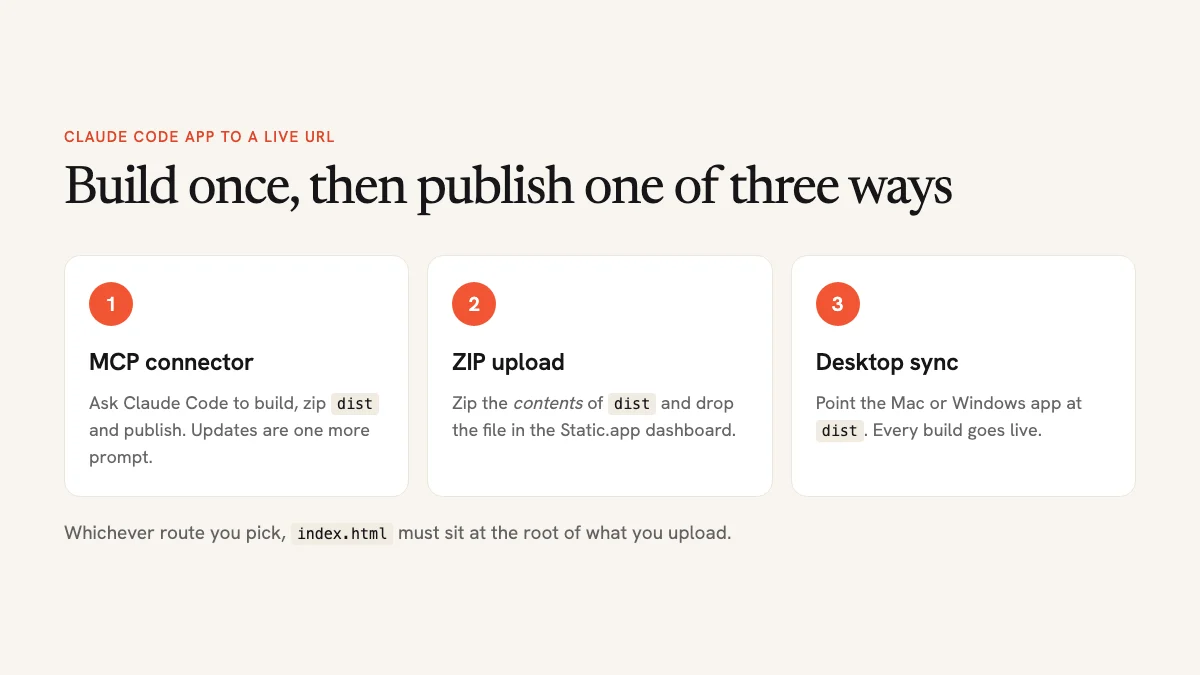
One rule matters for every route below: index.html must be at the top level of what you upload, not inside a dist subfolder. Static.app looks for it at the root.
Route 1: Let Claude Code Publish It with the MCP Connector
MCP (Model Context Protocol) lets Claude use outside tools. Static.app runs an MCP server that gives Claude Code direct access to your hosting account: it can publish a new site, replace one, edit individual files, and list or download what you have. Its MCP page lists the connector on every plan, including the trial.
Connect It Once
In your Static.app dashboard, go to Account → API Keys and create a key. Give it a name and an expiry date, and copy it. Then, in your terminal, run the two commands from Static.app’s setup instructions, replacing sk_xxxx with your key:
export STATIC_API_KEY=sk_xxxx
claude mcp add --transport sse --scope user static-app \
 https://mcp.static.app/sse \
 --header "Authorization: Bearer $STATIC_API_KEY"
The --scope user part makes the connector available in all your projects. Treat the API key like a password: don’t paste it into your code or commit it to a repository.
Ask Claude to Publish
Start Claude Code in your project folder and describe what you want:
Build this project, zip the contents of the dist folder so index.html
is at the root of the archive, and publish it to Static.app as a new
site named team-dashboard.
Claude runs the build, packages the output, uploads it, and replies with the live address. If the name is taken, Static.app assigns a random one, which you can change later in the site settings.
Ship Updates the Same Way
From then on, publishing a change is one more sentence: “Rebuild and update the team-dashboard site on Static.app.” Claude replaces the site from a fresh build, so your address and custom domain stay the same. For a small fix, it can also edit a single file on the live site directly.
Which Claude Apps Can Use the Connector?
- Claude Code: everything above, because it can run your build and read the files on your computer.
- Claude Desktop: connects through a config file and a local bridge that needs Node.js 18 or newer. It can read, edit and download your sites, but it can publish a new one only from a ZIP at a public URL, not from files on your computer.
- claude.ai and the mobile apps: most accounts can’t add this connector yet. Use the artifact import route instead.
Route 2: Upload a ZIP of the Build
No MCP setup, no API key: just the dashboard. Zip the contents of the build folder rather than the folder itself, so index.html lands at the top of the archive. In a terminal:
cd dist
zip -r ../my-app.zip .
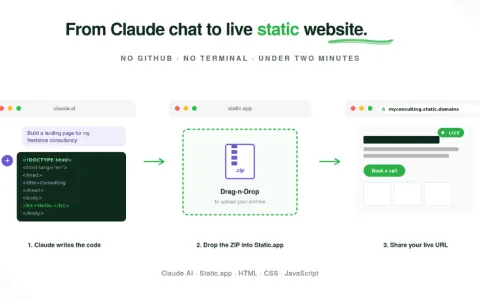
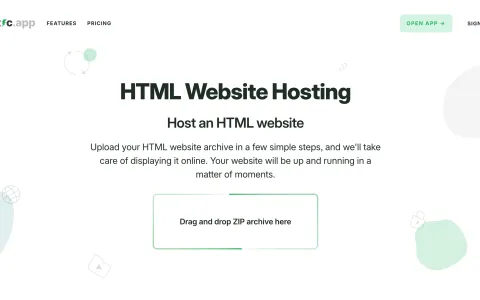
On a Mac or Windows without a terminal, open the dist folder, select everything inside it, and compress the selection. Then drag my-app.zip into the drop zone on your Static.app dashboard. It unpacks and deploys in a few seconds. Our Claude website guide walks through the upload screens with screenshots.
To update the site later, build again and replace the site’s files with the new ZIP.
Route 3: Sync the Build Folder with the Desktop App
The Static.app desktop app for Mac and Windows keeps a folder on your computer in sync with a live site. Point it at your build output folder, dist, not the project root. Otherwise you’d publish your source code and node_modules instead of the app.
After that, every npm run build rewrites dist, and the desktop app pushes the changes. If you prefer git, Static.app also has an official GitHub Action that deploys on every push.
Test Your Links Before You Share Them
Apps with more than one screen usually use client-side routing: the address changes to /settings or /projects/42, but there’s still only one index.html. Clicking around works fine. The risk is someone opening /settings directly from a bookmark. A static host then looks for a settings page, and if it doesn’t send that request back to index.html, the visitor sees a 404.
Static.app’s documentation doesn’t say how it handles this, so test it yourself. Open a page deep inside your live app, copy the address, paste it into a new private window, and refresh. If it loads, you’re set. If it doesn’t, either fix works:
- Switch to hash routing. Addresses become
/#/settings, which works on any static host because the browser never asks the server for that path. In React Router that meanscreateHashRouterinstead ofcreateBrowserRouter. Claude can make the change in one prompt. - Pre-render your routes. Frameworks like Astro, or Next.js with static export, write a real HTML file for each page, so there’s nothing to fall back on.
Forms, Data and Secrets
Forms are covered: add the static-form attribute to a <form> and submissions appear in your Static.app dashboard, with spam protection. That’s a paid-plan feature, and it’s often all a business app’s “backend” needs to be.
If your app needs user accounts or a shared database, the browser has to talk to a hosted service built for that, through the service’s public client library. Static.app keeps serving the front end. Ask Claude Code to wire it up, and tell it the app will be deployed as static files so it doesn’t write server code you can’t run.
One warning matters more than the rest of this guide. Anything in your built JavaScript can be read by anyone who opens the site. Never put a secret API key in front-end code, including an Anthropic or OpenAI key for an AI feature. If your app needs a secret, it needs a server, and a static host can’t provide that.
Add Your Own Domain
Your app starts on a free Static.app subdomain with HTTPS. To use your own domain, add it in the site’s settings on any paid plan and create the DNS record the dashboard shows. The help center has walkthroughs for Cloudflare, Namecheap and GoDaddy.
Common Questions
There’s a 7-day free trial with one site and 50 MB, no credit card needed. After that, publishing needs a paid plan: Starter is $6 per month, or $5 per month billed annually, for two sites, 500 MB, custom domains, forms and analytics. Prices were checked in November 2026. See the pricing page for current numbers.
You probably uploaded the project folder instead of the build output, or index.html ended up inside a subfolder of the ZIP. Rebuild, zip the contents of dist, and upload again. If the page is still blank, open the browser console. A 404 on a .js file usually means the build expects a different base path. Ask Claude to check the base setting in your Vite config.
The trial allows 50 MB per file and 50 MB in total. Paid plans raise the per-file limit to 1 GB, and storage from 500 MB on Starter. A typical built React app is a few megabytes.
If you have a single artifact, use the artifact guide, which uses Static.app’s Import from URL. If Claude gave you several files, save them into a folder and follow the ZIP route above, skipping the build step if there’s no package.json.
Build Once, Publish in a Sentence
Most apps people build with Claude are front ends: they compile to static files and run in the browser. For those, a static host does the job with no servers to manage. Build the app, check that index.html is at the root, and publish by ZIP, by folder sync, or by asking Claude Code to do it.
Comparing hosts first? Our guide to the best static hosting covers the alternatives.