Every website builder now has an AI button. You type a sentence about your business, wait thirty seconds, and get a homepage with a hero image, three feature blocks and a contact form. That first draft is roughly the same everywhere. What actually differs is what happens next: how much of the layout you can change, whether the site can grow a blog or a shop, and what you pay once the trial ends.
This guide compares seven AI website builders on those points. We read each one’s current feature and pricing pages, so you can pick by the kind of site you are making rather than by who has the flashiest demo. Prices are US list prices, checked in November 2026. They change often, so confirm on the vendor’s pricing page before you pay.
The Short Answer
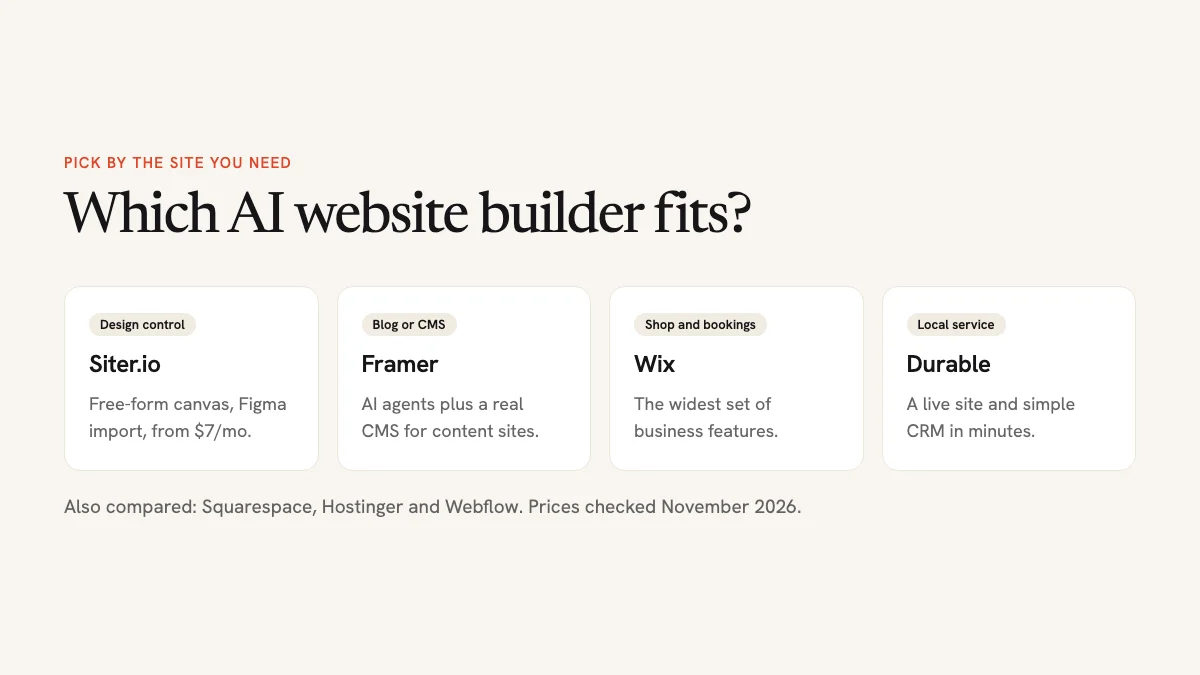
- Best for designers and Figma users: Siter.io. The AI builds a layout you can then move around freely on a design canvas, and it imports Figma frames.
- Best for design-led marketing sites with a CMS: Framer.
- Best all-in-one for small businesses: Wix.
- Best for polished brand and portfolio sites: Squarespace.
- Cheapest with hosting and a domain bundled: Hostinger, if you are happy to pay for four years up front.
- Fastest for local service businesses: Durable.
- Most control for teams that outgrow the rest: Webflow.
What an AI Website Builder Actually Does
An AI website builder is a normal hosted website builder with a generator on the front. You describe the business, the audience and the pages you want, and the AI writes a first draft: layout, headings, placeholder copy and stock or generated images. From there you edit the site like any other builder site, either by hand or by asking the AI for changes.
That makes the editor more important than the generator. A fast first draft saves an hour. An editor that fights you costs that hour back every time you want to change something. When you compare tools, look at four things:
- Editing freedom. Can you place elements anywhere, or only rearrange fixed sections?
- Content features. Does it have a blog, a CMS, ecommerce, bookings?
- AI limits. Most builders meter AI with credits. Running out mid-project is annoying.
- The real price. Free plans usually mean a branded subdomain and a badge. A custom domain needs a paid plan almost everywhere.
AI Website Builders Compared
| Builder | Best for | Free plan | Paid from | Blog / CMS | Online store |
|---|---|---|---|---|---|
| Siter.io | Designers, Figma users, freelancers | Yes, 3 pages | $7/mo | No | No |
| Framer | Marketing sites, startups | Yes, non-commercial | $10/mo | Yes | No |
| Wix | Small businesses | Yes, with Wix ads | $17/mo | Yes | Yes |
| Squarespace | Brand and portfolio sites | 14-day trial | $16/mo | Yes | Yes |
| Hostinger | Tight budgets | No | $1.99/mo (48-month term) | Yes | Yes |
| Durable | Local service businesses | Yes, preview only | $25/mo | Yes | No |
| Webflow | Teams that need full control | Yes, webflow.io domain | $15/mo | Yes (higher plan) | Yes (add-on) |
“Paid from” is the cheapest plan that removes the main free-plan limits, billed annually where that is cheaper.
1. Siter.io: Best for Designers Who Want Full Layout Control
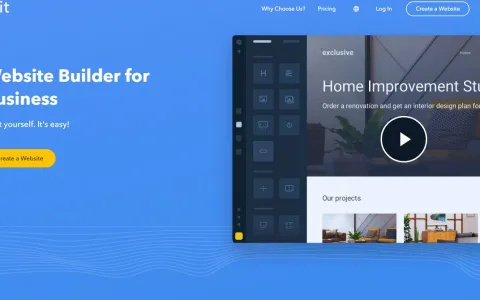
Siter.io feels more like a design tool than a website builder. Instead of stacking pre-made sections, you work on a free-form canvas with smart guides, snapping, a layout grid, components, auto layout, hover states and animations. Each breakpoint (desktop, tablet and mobile by default, plus any custom widths) has its own layout, so you can fix the phone version without breaking the desktop one.
Siter AI sits on top of that canvas. Describe a page and it builds one for all three breakpoints out of normal, editable elements. You can also ask it for a single new section or a change to an existing page. After each turn it lists what it changed and flags problems such as low-contrast text, and it saves a version before every edit, so a bad suggestion is one undo away. The same AI rewrites and translates selected text (into 32 languages), generates images, and builds small interactive apps like calculators, quizzes and polls.
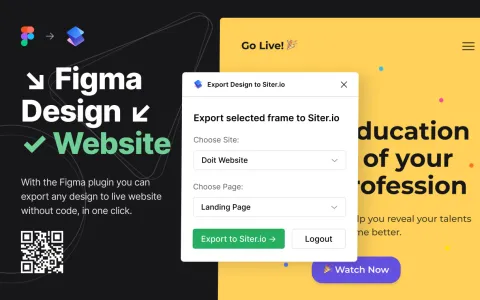
The other reason designers pick it is Figma. Siter’s Figma plugin turns frames into live, responsive pages, which we covered in our guide to exporting Figma designs to HTML. The import is one-way and doesn’t bring prototype interactions across, but it saves rebuilding a finished design by hand.
Hosting, HTTPS and basic SEO settings come with every plan. Paid plans add cookie-free analytics, form submissions and integrations with Google Analytics, Facebook Pixel and Zapier. Freelancers can build a site and transfer it to a client’s own paid account.
Pricing: the Free plan gives you one site on a getsiter.com subdomain with 3 pages, one form (10 submissions a month), 100 one-time AI credits and a Siter.io badge. Solo costs $7/mo billed yearly ($8 monthly) and adds a custom domain, 10 pages, 600 AI credits a month and badge removal. Plus ($12/mo) covers 3 sites and 50 pages, and Pro ($24/mo) gives 5 sites, unlimited pages, 2,000 credits and HTML export of single pages.
- Good: real design freedom, separate layouts per breakpoint, Figma import, the lowest paid price on this list, AI edits you can review and undo.
- Watch out: no CMS, blog, ecommerce or built-in multi-language sites. It suits landing pages, portfolios and small business sites, not content-heavy sites or shops.
2. Framer: Best for Design-Led Marketing Sites
Framer also starts from a design canvas, and its AI is the most ambitious on this list. Framer Agents create pages, sections, copy and visuals from a prompt, then help with breakpoints, spacing and colour. They can also set up and fill CMS collections, write custom code components from a description, and audit a site for contrast problems, typos, missing alt text and SEO gaps. A Framer MCP server lets tools like Claude Code and Cursor work on your project directly.
The built-in CMS is what puts Framer ahead of Siter.io for content sites: if you plan to publish a blog, case studies or a changelog, Framer handles it. The trade-off is a steeper learning curve, and the free plan is meant for non-commercial use.
Pricing: Free includes a Framer subdomain, 1 GB of bandwidth and 500 AI credits. Basic is $10/mo with 1,000 credits a month, and Pro is $30/mo with 3,000.
- Good: strong AI agents, polished animations, a real CMS.
- Watch out: more to learn than block builders, no native store, credit use adds up on big projects.
3. Wix: Best All-in-One for Small Businesses
Wix’s AI website builder creates a site from a chat about your business, then lets you switch between asking the AI for changes and editing by drag and drop. Its strength is everything around the site: online stores, bookings, events, memberships, email marketing and a large app market. If your website is also your shop, booking system and mailing list, Wix covers it in one account.
Pricing: a free plan with Wix ads and a Wix subdomain, then paid plans from about $17/mo billed yearly. Plans that accept payments start higher.
- Good: the widest set of business features, easy for beginners.
- Watch out: the price climbs as you add features, and sites can feel template-shaped.
4. Squarespace: Best for Polished Brand and Portfolio Sites
Squarespace calls its generator Blueprint AI. You describe your business or project, get a starting site with content and imagery in place, then refine it through conversation or by editing directly. The result benefits from Squarespace’s templates, which are still some of the best looking in the market. Its AI also writes copy, product descriptions and emails.
Pricing: no free plan, but a 14-day free trial with no card. Paid plans start at about $16/mo billed yearly, with AI credits that grow with the plan.
- Good: beautiful defaults, solid commerce and scheduling.
- Watch out: less layout freedom than canvas tools, and the entry plan has few AI credits.
5. Hostinger: Cheapest Bundle with Hosting and a Domain
Hostinger’s AI builder generates a site from a description and offers two ways to continue: a manual mode where you drag and drop, and an agentic mode where you keep chatting with the AI to change things. Hosting, a domain and SSL come in the bundle.
Pricing: the headline price is $1.99/mo, but only on a 48-month term paid up front ($95.52), and it renews at $10.99/mo. Do the four-year maths before comparing it to monthly plans elsewhere.
- Good: lowest total cost if you commit, everything in one place.
- Watch out: long commitment, higher renewal price, more basic design tools.
6. Durable: Fastest for Local Service Businesses
Durable is built for plumbers, cleaners, coaches and consultants who want a working site today and never want to think about design. It generates a site in under a minute and bundles a simple CRM, and its AI agents can publish blog posts on paid plans.
Pricing: the free plan builds a preview on a durable.site subdomain with 300 AI credits. Launch is $25/mo (less when billed yearly) with 1,000 credits a month and a free custom domain; Grow is $49/mo.
- Good: the quickest path from nothing to a live service-business site.
- Watch out: limited design control, and expensive for what is often a one-page site.
7. Webflow: Most Control for Growing Teams
Webflow relaunched its AI site builder in February 2026. It turns a prompt into a multi-page draft built on Webflow’s own CSS framework, with a starter design system. After that you are in the full Webflow designer, which exposes real CSS concepts like classes, flexbox and grid. That is powerful for agencies and in-house teams, and overkill if you just need five pages.
Pricing: a free Starter plan on a webflow.io domain, then the Basic site plan from about $15/mo billed yearly. CMS and ecommerce need higher plans.
- Good: professional-grade control, a powerful CMS, clean output.
- Watch out: the steepest learning curve here, and the costs grow with seats and add-ons.
How to Choose the Right AI Website Builder
Answer three questions and most of the list drops away:
- Do you need a blog or a shop? If yes, skip Siter.io and pick Framer or Webflow for content, or Wix or Squarespace for selling.
- How much do you care about the design? If the site has to look exactly like your mockup, choose a canvas tool: Siter.io or Framer. If a good template is enough, Wix, Squarespace or Durable will be faster.
- What will you pay in year two? Compare the renewal or monthly price, not the launch offer, and check how many AI credits the plan includes if you expect to keep using the AI.
Whatever you choose, test the free plan or trial with your real content. A generator that writes a great bakery site may struggle with your accounting firm.
When You Need Code Instead of a Builder
AI coding tools such as Claude, Lovable and Bolt take a different route: they write the HTML, CSS and JavaScript for you, and you host the files yourself. That gives you full ownership of the code and no builder lock-in, but you lose the visual editor. If you already have files from an AI chat, our guides show how to publish a Claude-generated website and how to host a Claude app with a build step. For plain files, see our comparison of the best static hosting services.
Frequently Asked Questions
Which AI website builder is best for beginners?
Wix and Durable ask the fewest questions and produce a usable site fastest. Siter.io is easy to start with too, and it gives you more freedom once you want to change the layout yourself.
Is there a free AI website builder?
Siter.io, Framer, Wix, Durable and Webflow all have free plans. They all put the site on a branded subdomain, and most limit pages, traffic or AI credits. Framer’s free plan is meant for non-commercial use. To use your own domain you need a paid plan.
Can I edit an AI-generated website?
Yes. Every builder here turns the AI draft into normal editable elements. The difference is how freely you can edit them: canvas tools like Siter.io and Framer let you move anything anywhere, while section-based builders keep you inside their blocks.
Will an AI website rank on Google?
It can, as long as you replace generic AI copy with specific, useful information about your business. Search engines don’t penalise a site for being built with AI, but thin, interchangeable text rarely ranks well. Fill in page titles and descriptions, and add real photos.
Can I move my site to another builder later?
Rarely without rebuilding it. Most builders don’t export a complete site. Siter.io’s Pro plan exports single pages as HTML, and Webflow can export code on paid plans, but plan on rebuilding if you switch.
Our Pick
If you want a small business site, portfolio or landing page that looks designed rather than generated, start with Siter.io: the AI gets you a first draft, the canvas lets you finish it properly, and the Solo plan is the cheapest way on this list to put it on your own domain. If your site needs a blog, choose Framer. If it needs a shop and bookings, choose Wix.