Type an uptime percentage to see how much downtime it allows per day, week, month, quarter and year. Or switch modes, enter how long your site was down, and get the uptime percentage. Everything runs in your browser, and the link updates as you type, so you can share a result, for example #99.95.
- Per day1m 26.4s
- Per week10m 4.8s
- Per month43m 49.7s
- Per quarter2h 11m 29.2s
- Per year8h 45m 57s
99.8973% uptime
A month is 30.44 days: a 365.2425-day year divided by 12. Quarters are a quarter of that year.
Uptime and Downtime for Common SLAs
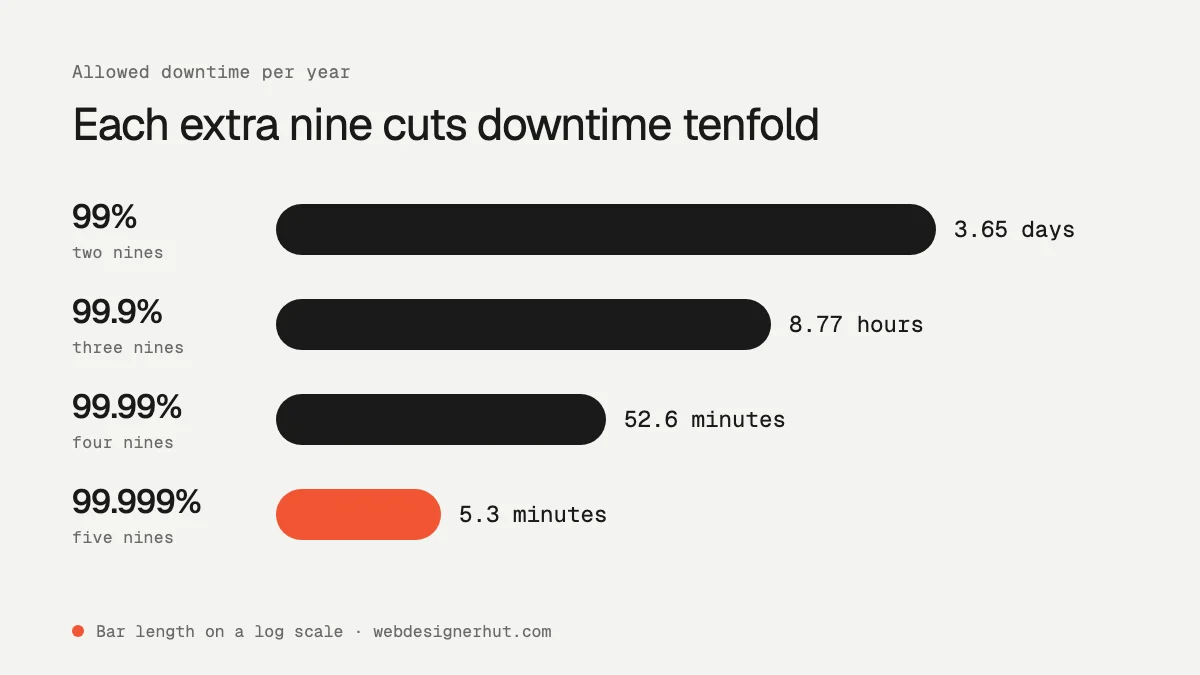
Each extra “nine” cuts the allowed downtime by a factor of ten. Going from 99.9% to 99.99% turns almost nine hours a year into under an hour.
| Uptime | Per day | Per week | Per month | Per year |
|---|---|---|---|---|
| 99% (“two nines”) | 14m 24s | 1h 40m 48s | 7h 18m 17.5s | 3d 15h 39m 29.5s |
| 99.5% | 7m 12s | 50m 24s | 3h 39m 8.7s | 1d 19h 49m 44.8s |
| 99.9% (“three nines”) | 1m 26.4s | 10m 4.8s | 43m 49.7s | 8h 45m 57s |
| 99.95% | 43.2s | 5m 2.4s | 21m 54.9s | 4h 22m 58.5s |
| 99.99% (“four nines”) | 8.6s | 1m 0.5s | 4m 23s | 52m 35.7s |
| 99.999% (“five nines”) | 0.9s | 6s | 26.3s | 5m 15.6s |
How to Calculate Uptime by Hand
Uptime is the share of a period during which the service was available:
uptime % = (total time − downtime) ÷ total time × 100
allowed downtime = total time × (100 − uptime %) ÷ 100
Worked example. Your site was down for 45 minutes in a month. A month averages 30.44 days, which is 43,829 minutes. So uptime is (43,829 − 45) ÷ 43,829 × 100 = 99.897%. That misses a 99.9% target by about a minute.
Going the other way, a 99.95% SLA on the same month allows 43,829 × 0.05 ÷ 100 = 21.9 minutes of downtime, or 21 minutes 55 seconds.
The month length matters. Providers that measure per calendar month give you slightly less downtime in February (28 days) than in July (31 days). For 99.9%, that is 40m 19s in February and 44m 38s in a 31-day month. The calculator uses the average month so results are comparable across the year.
What an SLA Actually Promises
A service level agreement does not promise that a service will stay up. It promises what you get back when it does not. Read three parts of any SLA before you rely on it:
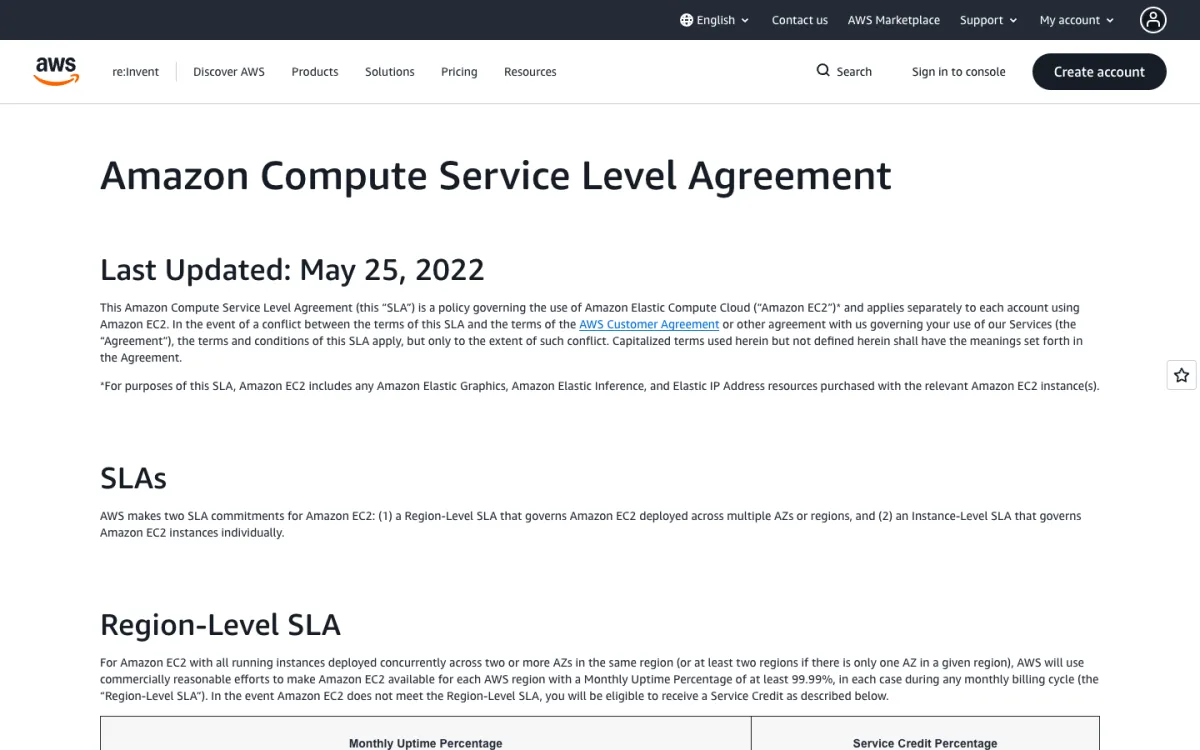
- The credit. Missing the target usually earns a service credit against your bill, not cash. Amazon EC2’s region-level SLA, for example, promises 99.99% monthly uptime and gives a 10% credit if uptime falls below that, 30% below 99.0%, and 100% below 95.0%.
- How downtime is measured. EC2 counts the minutes in the month when the service was unavailable, and its region-level definition only counts minutes when all your instances across two or more availability zones lost connectivity at once. One slow page or a single failed server does not count.
- Exclusions and claims. Scheduled maintenance, problems caused by your own code or configuration, and events outside the provider’s control are usually excluded. You often have to claim the credit yourself: AWS requires the request by the end of the second billing cycle after the incident, with dates, times and logs.
So a 99.99% SLA from a host is a pricing promise. Your visitors experience your actual uptime, which you have to measure yourself.
Why Your Monitor’s Uptime Differs from Your Host’s
If you run an uptime monitor, its number will rarely match the status page of your host. Four things cause the gap:
- Check interval. A monitor that checks every 5 minutes cannot see a 2-minute outage between checks, and it counts a detected outage in steps of up to 5 minutes. A 30-second or 1-minute interval gives a much more accurate figure.
- Locations. Your host may be fine while a network route, CDN edge or DNS provider fails for visitors in one region. Monitors that check from several locations, and confirm a failure from more than one before alerting, show what users actually see.
- What counts as down. A host measures its servers. A monitor measures your page: a 500 error from your app, an expired SSL certificate or a timeout all count as downtime for the monitor, but not for the host’s SLA.
- Maintenance windows. Hosts usually exclude scheduled maintenance. Most monitors let you pause checks during maintenance so it does not hurt your number. If you forget, your uptime looks worse than the host’s.
How to Monitor Your Uptime
To know your real uptime, run an external monitor that checks your site from outside your own infrastructure. Pick a check interval that matches your target: for 99.9% you have about 43 minutes a month, so 5-minute checks are a rough guide at best, and 1-minute or faster checks are better. Add alerts by email, SMS or chat so you hear about an outage before your users tell you, and a public status page if customers depend on you.
Our comparison of the best uptime monitoring tools covers free and paid options, check intervals and alerting. If you are choosing where to host a simple site, the best static hosting guide is a good place to start: static sites have fewer moving parts, so there is less to go down.
FAQ
What does 99.9% uptime mean?
It means the service can be unavailable for up to 0.1% of the time: about 1 minute 26 seconds a day, 43 minutes 50 seconds a month, or 8 hours 46 minutes a year.
How much downtime is 99.99% uptime?
About 8.6 seconds a day, 4 minutes 23 seconds a month, or 52 minutes 36 seconds a year.
What is a good uptime percentage for a website?
For most business websites, 99.9% or better is a sensible target. Many hosts advertise 99.9% to 99.99%. Online shops and apps that lose money every minute they are down should aim for 99.95% or higher and measure it with an external monitor.
How do I calculate uptime percentage?
Subtract downtime from the total time in the period, divide by the total time and multiply by 100. For example, 45 minutes of downtime in a 30.44-day month is 99.897% uptime.
Is 100% uptime possible?
Not in practice. Hardware fails, networks have incidents and software needs updates. Redundancy across servers, zones and regions gets you closer, but each extra nine costs much more than the one before it. That is why SLAs promise credits rather than perfection.