This guide looks at email design trends for 2027 through what changed in the inbox itself. Mailbox providers now summarize emails with AI, enforce sender rules with rejections, sort promotions by engagement, and support CSS they ignored for years. Those changes decide how an email looks and whether it's seen at all.
Every trend below rests on a primary source: Google, Microsoft, Apple and Yahoo documentation, the caniemail.com support data, or EU law. We read each source on November 26, 2026, and we say plainly where something isn't confirmed.
The Short Version
- Sender rules are design rules now: a visible unsubscribe link, one-click unsubscribe, and no hidden content.
- AI summaries replace the preview text in Apple Mail when Apple Intelligence is on.
- AI sorting puts the Primary tab first. Apple and Gmail build their AI features around it.
- Outlook splits in two: new Outlook is scheduled to become the enterprise default from March 2027, while classic Outlook stays supported until at least 2029.
- CSS Grid works in Gmail on the web, Yahoo and the Outlook mobile apps.
- Brand logos in the inbox are easier to get.
- Gmail Promotions annotations set fixed image ratios and short deal badges.
- Opens are no longer a design metric. Design for clicks.
- Dark mode control is still partial, with one new switch in the Gmail apps.
- Receipts and shipping emails become structured data for Apple Wallet and Gmail.
1. Sender Rules Are Now Design Rules
Gmail and Yahoo have required authentication, one-click unsubscribe and a spam rate below 0.3% for bulk senders since February 2024. Gmail's FAQ adds that "Starting November 2025, Gmail is ramping up its enforcement on non-compliant traffic," including "temporary and permanent rejections." Outlook.com has applied its own requirements to senders of 5,000 or more emails a day since May 5, 2025, and Microsoft's support page describes rejecting mail that fails them.
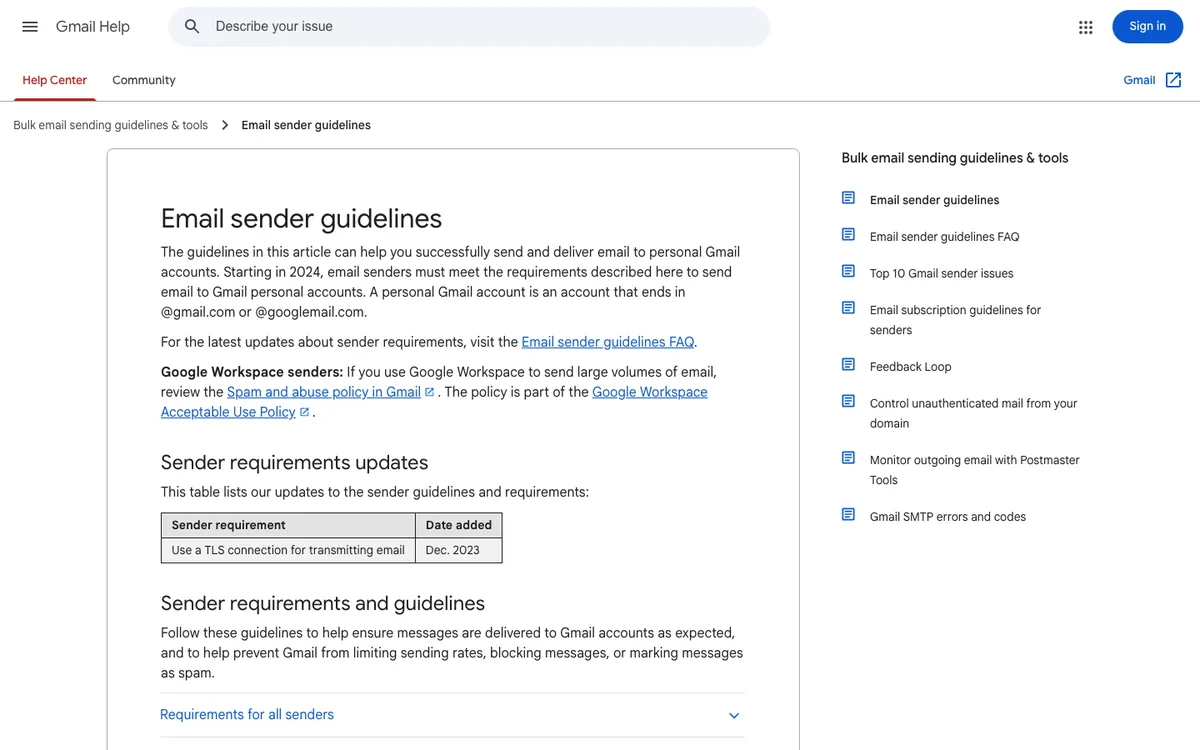
Several of the rules land on the designer's desk. Gmail and Yahoo require "a clearly visible unsubscribe link in the message body." Gmail's guidelines also say: "Don't use HTML and CSS to hide content in your messages. Hiding content might cause messages to be marked as spam." That rule doesn't name preheaders, but hiding preview text with CSS is the kind of technique it describes, so treat it as a risk. Gmail also rules out emoji or images next to the sender name that "imply the name has been verified."
One-click unsubscribe is set in the email's headers, not the design, so check that your sending platform adds them:
List-Unsubscribe: <https://example.com/unsubscribe?id=123>
List-Unsubscribe-Post: List-Unsubscribe=One-Click
For 2027: put the unsubscribe link where people can find it, drop hidden-text tricks, and keep the sender name plain. Gmail's "Manage subscriptions" page, live since July 2025, also lists senders by how often they email, so frequency is now visible to readers.
2. AI Summaries Replace the Preview Text
With Apple Intelligence turned on, Apple Mail shows "A short summary automatically appears under each email in your inbox." Apple's guide says you can turn summaries off "if you want to see the first lines of the most recent message instead." So for those readers, the preheader you wrote may never appear under the subject line.
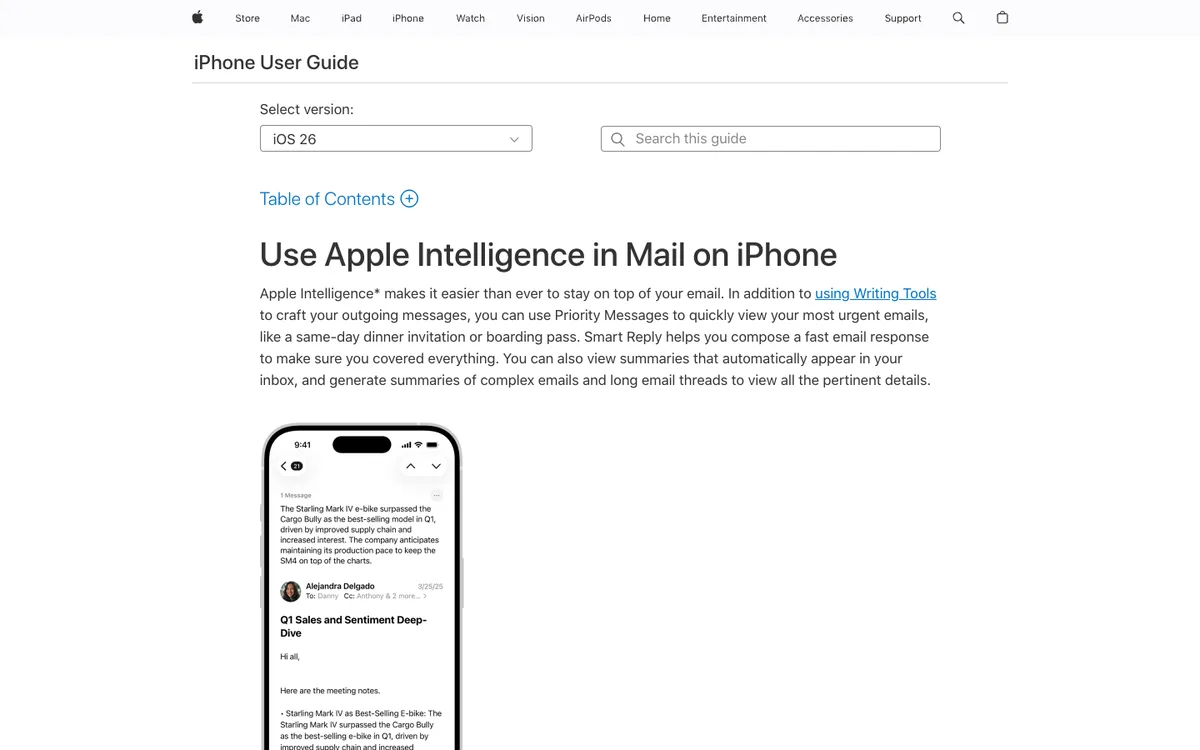
Gmail and Outlook summarize too, but on request. Gmail's AI Overview "synthesizes key points and replies in the conversation" when the reader taps "Summarize this email," and Google says it's "available to all Gmail users globally." In Outlook, the reader selects "Summary by Copilot" at the top of a thread.
No provider documents how its model weighs the first line or the preheader, so nobody can promise a trick that controls the summary. What you can control is the copy itself.
For 2027: state the main point and the action in plain text near the top. Don't rely on the preheader alone, and don't put key information only in images.
3. AI Sorting Puts the Primary Tab First
Apple Mail now sorts messages into "Primary, Transactions, Updates, and Promotions." Messages in the other categories also appear in Primary when they include "time-sensitive information," and tapping a sender opens "a digest view of messages from that sender." Gmail's AI Inbox, in beta for US English users, "Only surfaces information from messages in your 'Primary' tab and not other tabs, such as 'Social' or 'Promotions.'"
Inside Gmail's Promotions tab, Google announced in September 2025 that people will be able to sort by "most relevant" promotions, including brands "you engage with the most."
For 2027: promotional email is judged next to the same sender's other emails, and by how often people engage with it. A consistent sender name and layout helps readers recognise you in a digest.
4. Outlook Splits in Two
The new Outlook for Windows "utilizes WebView2," and Microsoft says "The experience is provided by Outlook on the web." For business users it's still an opt-in. A Microsoft 365 Message Center post (MC949965, which we read on a public archive because the original needs an admin login) moves the enterprise "opt-out" stage, when new Outlook is on by default, from April 2026 to March 2027. Users can still switch back.
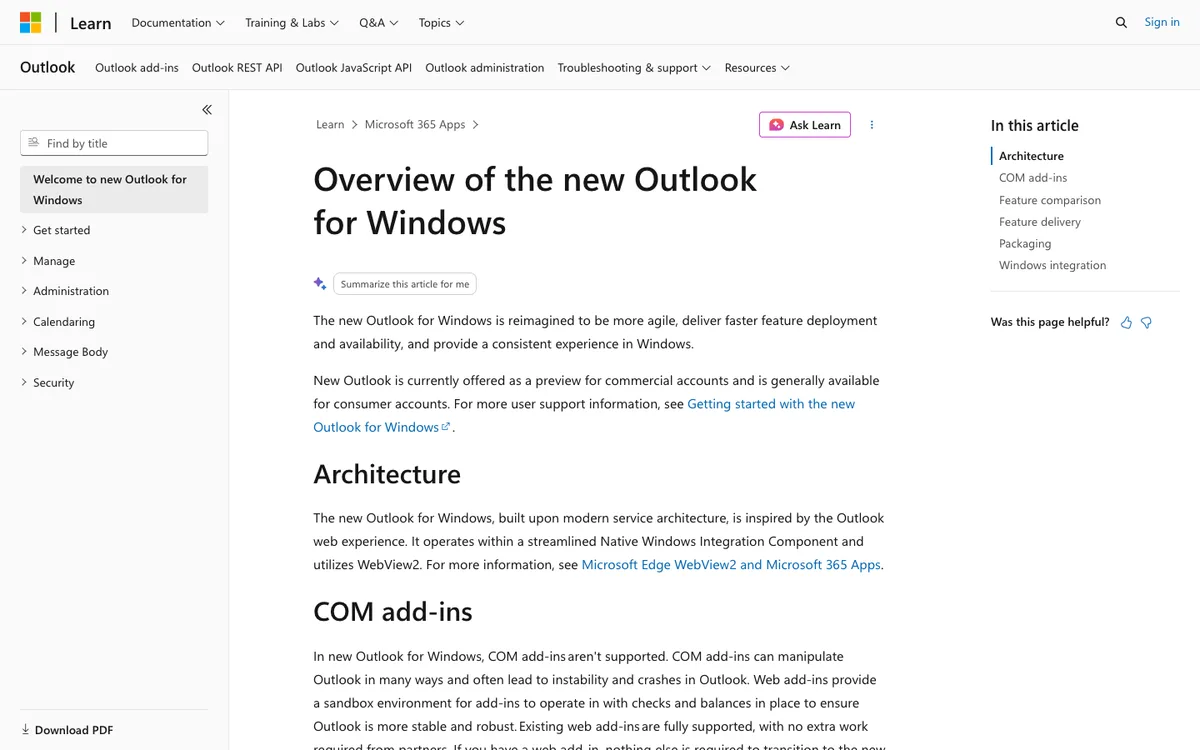
Classic Outlook isn't going away soon. Microsoft says it will "continue to honor published support timelines for existing version of classic Outlook for Windows until at least 2029." There's no official cutover date yet.
Microsoft doesn't say how new Outlook treats VML or <!--[if mso]> blocks. Because it's built on Outlook on the web, it most likely renders email like Outlook on the web does, so Word-engine hacks wouldn't apply there. That's our inference, not a Microsoft statement.
For 2027: expect a split Outlook audience. Keep table layouts and MSO fallbacks for classic Outlook, and test in Outlook on the web as a stand-in for new Outlook.
5. CSS Grid Works in Gmail on the Web
This is the biggest CSS change of the year. caniemail's March 2026 test lists display:grid as supported in Gmail's desktop webmail, which wasn't the case in its 2019 test. Yahoo and the Outlook iOS and Android apps moved to supported too. Gmail's iOS and Android apps support it only with Google accounts. Outlook on Windows still doesn't.
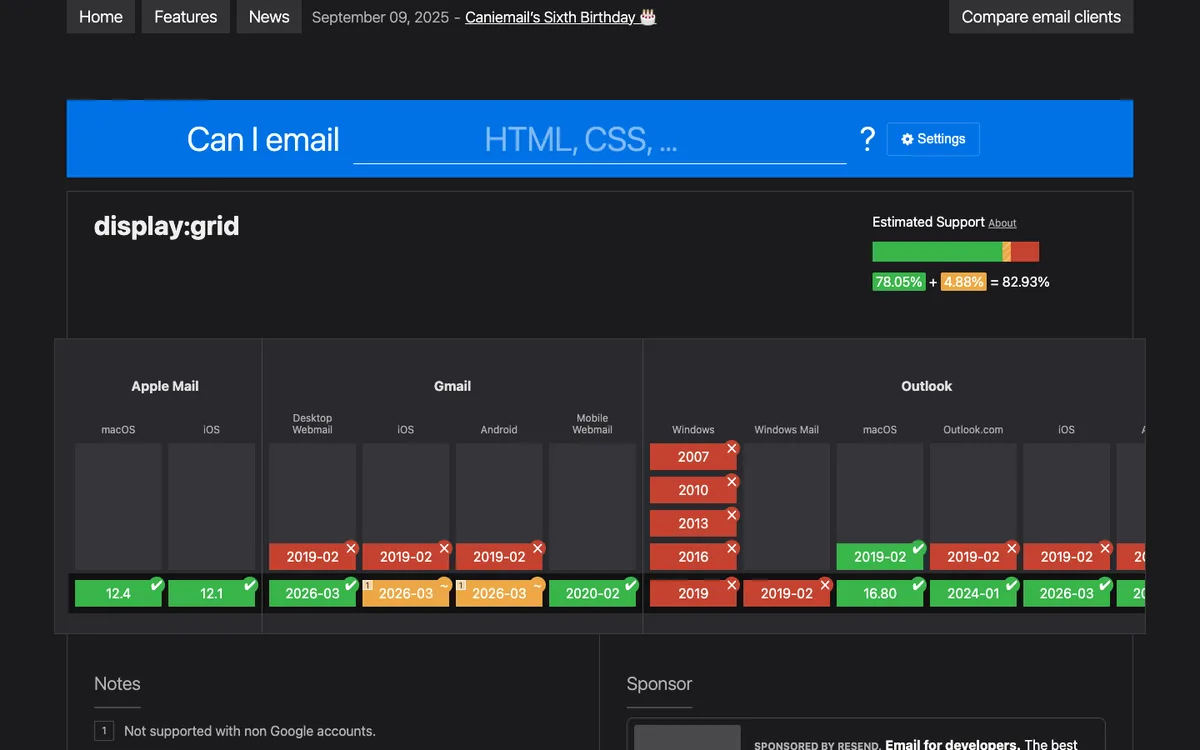
That makes grid a practical progressive enhancement. Clients that don't support it show the items stacked, which is already the usual mobile layout:
<style>
  .products { display: grid; grid-template-columns: 1fr 1fr; gap: 16px; }
</style>
<div class="products">
  <div>Product one</div>
  <div>Product two</div>
</div>
Other 2026 changes in caniemail's data:
- SVG in Gmail: now displayed on all four Gmail platforms, but "rasterized in PNG" (September 2026).
- Native popovers: the
popoverandcommandattributes work in Apple Mail, but not in Gmail, Outlook or Yahoo. - Fewer
<style>tags in smaller webmails: Web.de dropped support in April 2025, and the French clients SFR and La Poste followed in 2025. Inline styles are still the safe base.
For 2027: use grid for multi-column product blocks where Gmail web and Yahoo matter, with a stacked fallback. Keep a PNG version of any SVG logo.
6. Brand Logos in the Inbox Are Easier to Get
BIMI shows your logo next to your emails, and it no longer requires a registered trademark everywhere. Gmail has accepted Common Mark Certificates (CMC) since September 2024 for senders "who might not have the registered trademark required for a Verified Mark Certificate." With a CMC, the logo shows "without the Gmail verified checkmark." Yahoo says it does "not require VMCs" for BIMI logos. Apple has its own system, Branded Mail, which adds "a brand logo and name" to business emails after a review of up to seven business days.
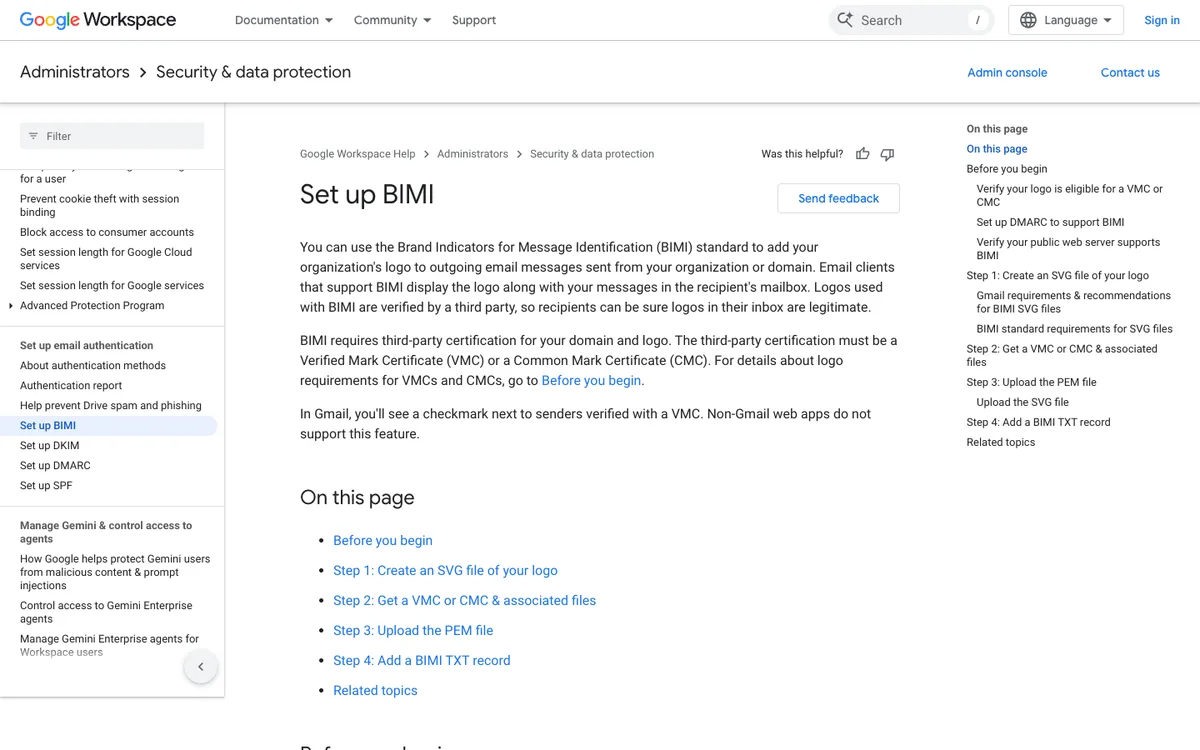
All of them require DMARC set to quarantine or reject, and Apple's Branded Mail also needs DKIM on every message. Google requires the logo as an SVG file.
For 2027: design a square brand mark that reads at avatar size, and work with whoever runs your domain's DNS to reach DMARC enforcement.
7. Gmail Promotions Annotations
Gmail lets promotional emails carry structured data that shows a deal badge, a deal card or a product carousel in the Promotions tab. Google's docs say "You don't need to register or request access." Annotations show only for consumer Gmail accounts, and not to everyone, because visibility "depends on user account settings, sender quality filters, frequency limits."
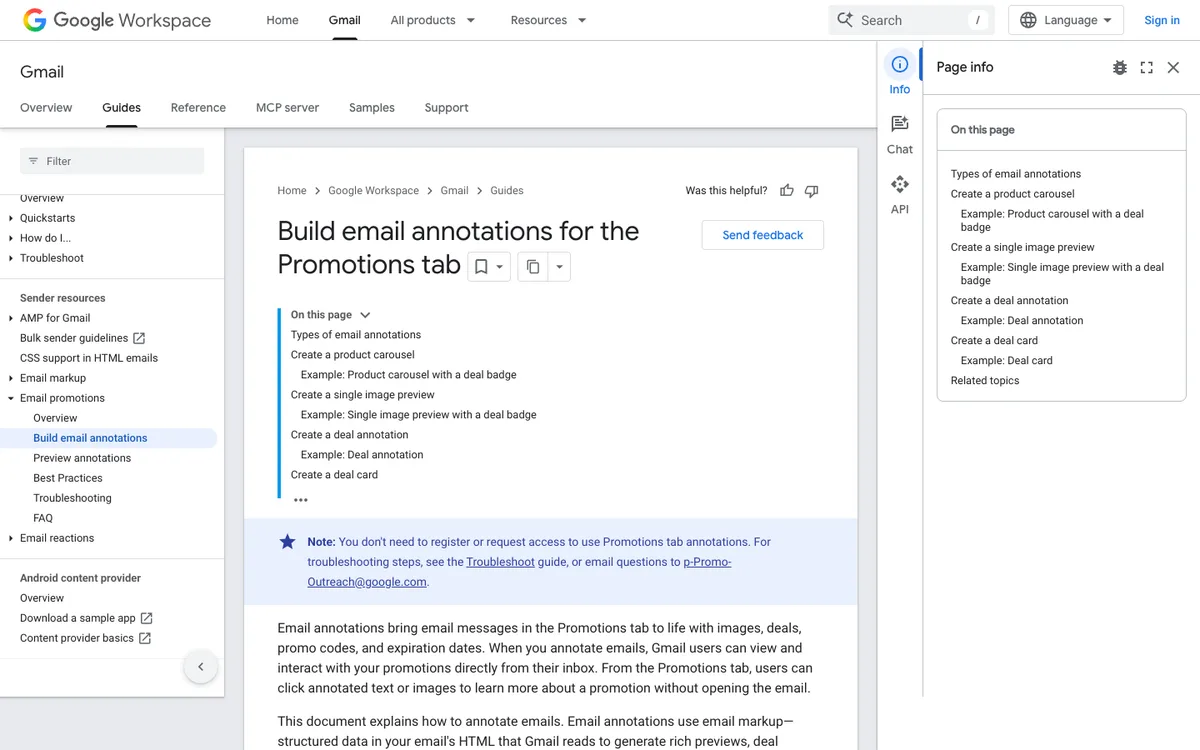
Google's best practices set design limits:
- Images are center-cropped, and "The supported aspect ratios are 4:5, 1:1, and 1.91:1."
- "Avoid text-only images."
- "Avoid using more than four words or full sentences in the deal badge."
- A carousel shows two to ten products, each image with "a unique URL" and "the same aspect ratio."
For 2027: export product images in those ratios without text baked in, and write deal badges of four words or fewer.
8. Opens Are No Longer a Design Metric
Apple's Mail Privacy Protection "prevents senders from seeing if you've opened the email message they sent you." Apple also says it "does not extend to links or email attachments." Apple doesn't publish how many people turn it on.
For 2027: judge designs and subject lines by clicks, not opens. That favours a clear primary call to action, buttons that are easy to tap, and links that say where they go. Gmail asks for the same: "Web links in the message body should be visible and easy to understand."
9. Dark Mode Control Is Still Partial
The prefers-color-scheme media query works in Apple Mail, the Outlook apps, Outlook.com and Samsung Email, according to caniemail. It doesn't work in Gmail or Yahoo, though caniemail's Gmail test for it dates from 2022.
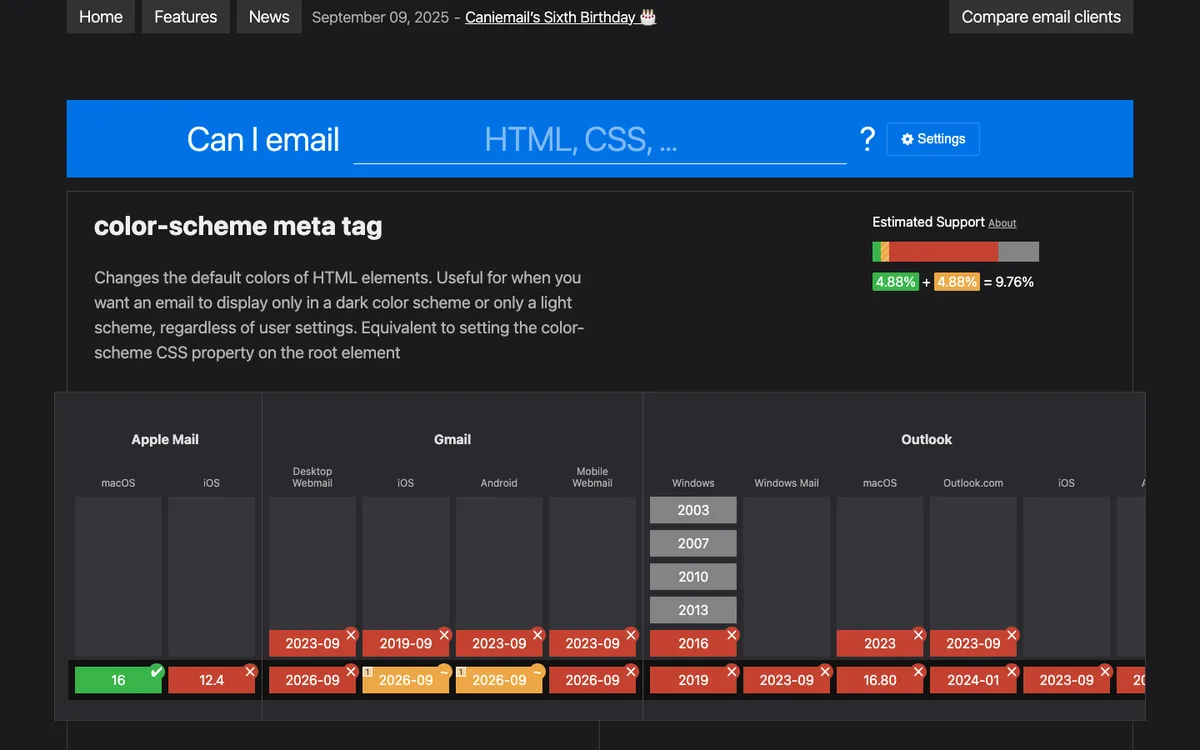
One new switch arrived in September 2026: Gmail's iOS and Android apps now honour the color-scheme meta tag, but "Only the value light only is supported." That lets you ask those apps not to recolour an email that must stay light:
<meta name="color-scheme" content="light only">For 2027: keep designing assets that survive colour inversion, such as logos with a transparent background and an outline, and use prefers-color-scheme for the clients that support it.
10. Receipts Become Structured Data
Apple Wallet now "uses Apple Intelligence to automatically find order confirmation and shipping emails" in the Mail app and extracts "the merchant, status, and tracking number." Apple asks businesses to include the "Merchant name," "Order number" and "Tracking number" so its "on-device models" can match carrier emails to orders. Gmail announced a Purchases view for order and delivery emails in September 2025.
For 2027: put order number, tracking number and merchant name in plain text near the top of transactional emails, not inside images.
What About Accessibility?
The European Accessibility Act has applied to e-commerce services since June 28, 2025. The directive defines them as services "through websites and mobile device-based services," and it never mentions email. The directive doesn't name email, and we found no official guidance saying it covers email. But emails lead into the shops and apps that are covered, and the same basics are well supported in email clients: a lang attribute, layout tables with role="presentation", alt text, and enough contrast. W3C's guidance on layout tables is that the content must still "make sense when linearized."
What Isn't a Trend
- AMP for Email is still around, but niche. Gmail and Yahoo still document it and require sender registration and an HTML fallback. Apple Mail and Outlook don't support it.
- CSS-only interactivity is mostly an Apple Mail feature.
:checkeddoesn't work in Gmail or Outlook on Windows, so any interactive part needs a static fallback.
How We Researched This
On November 26, 2026 we read the sender guidelines and help pages from Google, Yahoo, Microsoft and Apple, Microsoft Learn's pages on the new Outlook, Google's developer docs for the Promotions tab and BIMI, the BIMI Group's pages, the text of the European Accessibility Act, and caniemail.com's support data (last updated September 16, 2026) and change log. We didn't use trend roundups or vendor blogs. Where a source is a third-party copy, as with the Microsoft Message Center post, we say so.
FAQ
What are the biggest email design trends for 2027?
AI summaries replacing preview text in Apple Mail, sender rules that require a visible unsubscribe link and ban hidden content, CSS Grid support in Gmail on the web, the split between new and classic Outlook, and easier brand logos through BIMI and Apple Branded Mail.
Do preheaders still matter?
Yes, but less reliably. Apple Mail shows an AI summary instead of the first lines when Apple Intelligence is on, and Gmail warns against hiding content with HTML and CSS. Write a clear opening line in visible text so the point survives either way.
Does Gmail support CSS Grid in emails?
Gmail's desktop webmail does, according to caniemail's March 2026 test. The Gmail apps support it only with Google accounts, and Outlook on Windows doesn't support it, so build a layout that stacks cleanly without it.
Do I still need to code for classic Outlook in 2027?
Yes. Microsoft supports classic Outlook until at least 2029. New Outlook is scheduled to become the enterprise default from March 2027, but users can switch back, so keep table layouts and MSO fallbacks.
How do I control dark mode in Gmail?
Only partly. Gmail ignores prefers-color-scheme. Since September 2026, the Gmail iOS and Android apps honour <meta name="color-scheme" content="light only">, which asks them to keep the email light.
Does the European Accessibility Act apply to email?
The directive covers e-commerce "through websites and mobile device-based services" and doesn't mention email, and we found no official guidance that it does. Accessible email is still good practice for any business the act covers.