Every website builder says it is “great for SEO”. That claim tells you nothing. What matters is which technical settings the builder actually lets you control: titles and descriptions, canonical URLs, robots.txt, redirects, structured data, URL structure and multilingual tags. When one of those is missing, you cannot fix the problem it causes, however good your content is.
This guide checks seven builders against those controls, using each vendor’s own help documentation, and runs a speed test on one official or marketplace template from each. Everything was checked on November 11, 2026. We don’t claim any builder ranks better than another: rankings come from your content and links. The builder only decides whether anything technical gets in the way.
The Short Answer
- Most control overall: WordPress with an SEO plugin such as Yoast or Rank Math. Everything is configurable, but you maintain it.
- Most control without code or plugins: Webflow. Canonicals, redirects, robots.txt, sitemap control and per-page code, all on a paid site plan.
- Best all-in-one for small businesses: Wix. Its SEO settings are more complete than its reputation suggests, including automatic hreflang for multilingual sites.
- Design-led marketing sites: Framer, on the Pro plan, which is where redirects and custom robots.txt live.
- Simple brand sites: Squarespace covers the basics well, with less control over canonicals and robots.txt.
- Small marketing sites on a budget: Siter.io, with titles, descriptions and per-page head code, but no CMS or multilingual support.
- Cheapest, with the fewest controls: Hostinger Website Builder. Fine for a brochure site, but no redirects, canonical URLs or robots.txt editing.
What a Builder Must Let You Control
These are the settings that cause real problems when you cannot change them:
- Title and meta description per page. They are what people see in search results.
- Canonical URL. Tells search engines which version of a page is the original when the same content appears at more than one address.
- robots.txt. Controls which parts of the site crawlers may visit.
- XML sitemap. Lists the pages you want indexed, ideally without thank-you pages and duplicates.
- 301 redirects. Essential when you change a URL or move from another platform, or you lose the links and rankings the old URL had.
- Structured data (JSON-LD). Lets you describe products, articles, FAQs or local business details for rich results.
- Clean URLs. Short, readable slugs, without forced folders you cannot remove.
- hreflang. Tells search engines which language version to show to which audience.
- noindex per page. Keeps thin or private pages out of search.
- Speed. Core Web Vitals are part of Google’s page experience signals, and a heavy template is hard to fix from inside a builder.
Under all of this sits clean, semantic HTML. Our guide to semantic HTML for accessibility explains why headings and structure matter to both screen readers and crawlers.
SEO Control Matrix
“Partial” means the feature exists but is limited, automatic only, paid extra or needs code. “Not documented” means we could not find it in the vendor’s help docs, which usually means it is missing.
| Feature | Wix | Squarespace | Webflow | Framer | WordPress + plugin | Siter.io | Hostinger |
|---|---|---|---|---|---|---|---|
| Title and meta description | Yes | Yes | Yes | Yes | Yes (description via plugin) | Yes | Yes |
| Canonical per page | Yes | Not documented | Yes | Partial | Yes (plugin) | Not documented | No |
| robots.txt editing | Yes | Partial (crawler toggles) | Yes (paid plan) | Partial (Pro) | Yes (plugin) | Not documented | No |
| XML sitemap | Yes, noindex removes pages | Yes, hidden pages excluded | Yes, per-page toggle | Automatic | Yes, exclusions via plugin | Automatic | Yes, noindex removes pages |
| 301 redirects | Yes (custom domain) | Yes | Yes (paid plan) | Yes (Pro) | Partial (plugin) | Not documented | No |
| JSON-LD / per-page head code | Yes | Partial (Core plan up) | Yes (paid plan) | Yes | Yes (plugin) | Yes | Not documented |
| Clean URLs | Yes, blog prefix renamable | Partial, collection prefix forced | Partial, collection prefix forced | Yes | Yes | Yes | Yes |
| hreflang / multilingual | Yes (automatic) | Partial (via Weglot) | Yes (Localization add-on) | Yes (Localization add-on) | Partial (WPML or Polylang) | No | Partial (up to 4 languages) |
| noindex per page | Yes | Yes (not collection items) | Yes | Yes | Yes (plugin) | Not documented | Yes |
| Sitewide head code | Yes (custom domain) | Partial (Core plan up) | Yes (paid plan) | Yes | Yes (plugin or theme) | Yes | Yes |
The Builders, Checked Against the Matrix
1. WordPress with an SEO Plugin: Most Control
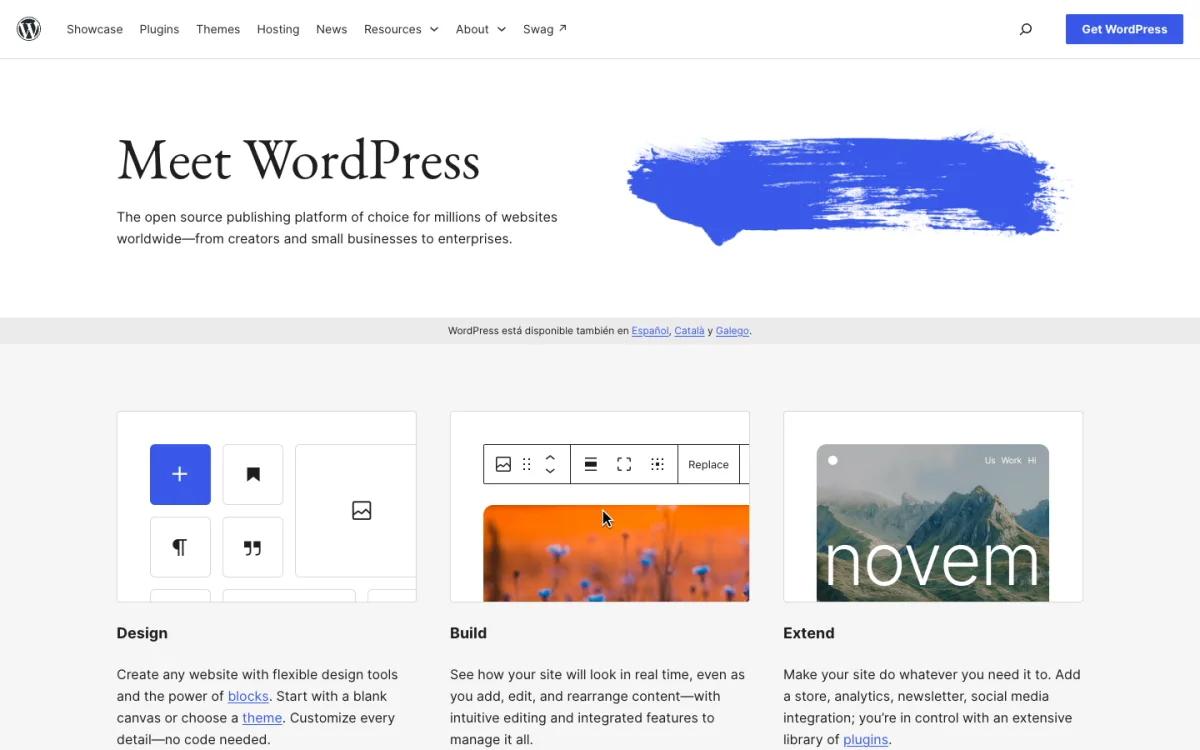
Self-hosted WordPress gives you every setting on the list, because you own the code and can add anything. Core WordPress handles page titles, clean permalinks, image alt text and a basic XML sitemap. An SEO plugin such as Yoast SEO or Rank Math adds meta descriptions, canonical URLs, noindex, robots.txt editing, sitemap exclusions and schema markup.
- Good: no hard limits, URL structure entirely yours, any schema type, works with any host.
- Watch out: Yoast’s redirect manager is a Premium feature, and hreflang needs a multilingual plugin such as WPML or Polylang. Speed depends on your theme, plugins and hosting, so a poorly built WordPress site can be slower than any builder.
Price: WordPress is free. You pay for hosting and a domain; see our guide on how to host a website for typical costs.
2. Webflow: Most Control Without Code
Webflow is the builder SEO specialists tend to like. It has per-page titles and descriptions, canonical tags, a 301 redirect manager, an editable robots.txt, a sitemap you can exclude pages from, noindex per page, and custom code in the head of any page for structured data. CMS templates can fill SEO fields from collection data, so every blog post gets proper meta tags automatically.
- Good: the most complete set of SEO controls of any no-code builder, clean semantic HTML, Localization add-on with hreflang.
- Watch out: CMS collection pages need a URL prefix (such as
/post/your-slug). Redirects, robots.txt and custom code need a paid site plan, and a blog needs the Premium plan with the CMS.
Price: Basic from $15/mo billed yearly ($25 monthly); Premium with the CMS from $25/mo yearly. If Webflow’s pricing is the problem, see our Webflow alternatives.
3. Wix: Most Complete All-in-One
Wix had a poor SEO reputation years ago. Its current toolset is one of the most complete here: per-page titles and descriptions, custom canonical tags, a robots.txt editor, a redirect manager, custom structured data, noindex settings and automatic hreflang tags for multilingual sites.
- Good: nearly every control in the matrix, guided SEO setup for beginners, built-in multilingual SEO.
- Watch out: 301 redirects and custom code need a connected domain, which means a paid plan. Blog posts sit under a
/post/folder you can rename but not remove.
Price: the Light plan with a custom domain is listed at $17/mo billed yearly; Wix shows prices in local currency.
4. Framer: Strong for Design-Led Sites, on Pro
Framer lets you set titles, descriptions, social images and noindex per page, with CMS pages filling these from collection fields. You can set the URL path of CMS pages yourself, so there is no forced prefix. Custom code can add structured data.
- Good: flexible CMS URLs, Localization add-on with hreflang.
- Watch out: redirects and the static files needed for a custom robots.txt are listed on the Pro plan. Canonical URLs are documented as a site-wide setting rather than per page.
Price: Basic from $10/mo and Pro from $30/mo, both billed yearly.
5. Squarespace: Good Basics, Less Control
Squarespace handles the essentials cleanly: titles and descriptions, an automatic sitemap that leaves out hidden pages, 301 redirects, image alt text and per-page noindex. It produces tidy markup and guides you through SEO settings in its panel.

- Good: easy, with sensible defaults and built-in redirects.
- Watch out: robots.txt is limited to toggles for crawlers, and we found no per-page canonical setting. Collection URLs keep their folder (
/blog/your-post), and code injection for structured data needs the Core plan or higher. Multilingual sites rely on Weglot.
Price: Basic from $19/mo and Core from $29/mo, billed yearly.
6. Siter.io: Basic SEO for Small Marketing Sites
Siter.io covers per-page titles and descriptions and lets you add code to the head of each page or the whole site, so you can add structured data or verification tags yourself. Without a CMS, every page is a normal page with a clean URL you choose.
- Good: clean URLs, head code on any page, low price.
- Watch out: no CMS or multilingual support, and canonical, redirect and robots.txt settings are not documented. Fine for a landing page or small site, not for a content strategy.
Price: Solo with a custom domain from $7/mo billed yearly ($8 monthly).
7. Hostinger Website Builder: Cheapest, Fewest Controls
Hostinger’s drag-and-drop builder includes titles, descriptions, noindex, alt text, an automatic sitemap and sitewide head code, plus multilingual sites with up to four languages. It is the cheapest way to get a site with a domain.

- Good: very low entry price, simple editor, the basics in place.
- Watch out: no redirect manager, no canonical setting and no robots.txt editing. Moving an existing site with rankings onto it is risky, because you cannot redirect the old URLs.
Price: $1.99/mo on a 48-month term paid upfront, renewing at $10.99/mo.
Speed Test: One Template per Builder
We ran Lighthouse 10.4 in mobile mode with simulated throttling on a public demo of one template from each builder, three runs each, and report the median. Tests ran on November 11, 2026. LCP (Largest Contentful Paint) is how long the main content takes to appear, TBT (Total Blocking Time) how long scripts block the page, and CLS (Cumulative Layout Shift) how much the layout jumps.
| Builder | Template tested | Performance score | LCP | TBT | CLS | Page weight |
|---|---|---|---|---|---|---|
| WordPress | Twenty Twenty-Five (showcase site) | 100 | 1.2 s | 0 ms | 0.02 | 219 KB |
| Framer | Walker (free template) | 92 | 3.4 s | 0 ms | 0.02 | 704 KB |
| Webflow | Layout (free template) | 77 | 4.8 s | 0 ms | 0.00 | 629 KB |
| Wix | Kindergarten template | 75 | 7.2 s | 14 ms | 0.02 | 2,101 KB |
| Hostinger | Adelina template | 70 | 6.4 s | 1 ms | 0.00 | 1,050 KB |
| Squarespace | Alta Loma template | 60 | 11.3 s | 90 ms | 0.00 | 1,670 KB |
| Siter.io | Halden & Vos template | 57 | 8.6 s | 81 ms | 0.00 | 2,926 KB |
Read these numbers as a rough guide, not a verdict. Each template has different images and content, so page weight varies a lot, and lab scores move between runs (Framer’s three runs scored 64, 92 and 95). The WordPress result comes from WordPress.org’s own showcase of the default theme on its servers; the same theme on cheap shared hosting with several plugins would be slower.
Two patterns held across runs. Image-heavy templates were slowest to show their main content: the Squarespace, Siter.io and Wix demos all took over 7 seconds for LCP on a simulated slow mobile connection. And layout shift was low everywhere, so none of these builders has a structural CLS problem. Whatever you choose, compress your images, keep the hero section light and test your own pages in PageSpeed Insights before launch.
What No Builder Fixes for You
Once the technical settings are right, the builder stops mattering much. Rankings come from:
- Content that answers the search. One clear page per topic, written for the question people actually type.
- Links from other sites. Authority still moves rankings; our guide to domain rating explains how it is measured and built.
- Internal links. Link related pages to each other with descriptive anchor text, so crawlers and visitors find them.
- Keeping URLs stable. Every URL change needs a 301 redirect, which is why redirect support matters when you choose a builder.
If you are choosing a builder for other reasons, our comparison of the best AI website builders covers how they generate a first draft, the older website builders roundup lists more options, and our Wix vs Squarespace comparison covers features, pricing and export.
FAQ
Which website builder is best for SEO?
For full control, WordPress with an SEO plugin. Without code or plugins, Webflow gives the most control, with Wix close behind. All three let you set canonicals, redirects, robots.txt and structured data.
Is Wix good for SEO?
Yes. Current Wix lets you edit titles, descriptions, canonical tags, robots.txt, redirects and structured data, and it adds hreflang automatically for multilingual sites. Check speed on your own pages, as template weight varies.
Is Squarespace good for SEO?
For most small sites, yes. It handles titles, descriptions, sitemaps and redirects well. It offers less control over canonical tags and robots.txt, and code injection for structured data needs the Core plan or higher.
Does the website builder affect Google rankings?
Only indirectly. A builder cannot make a page rank, but missing controls (no redirects, no canonicals) or a slow template can hold a good page back. Content and links decide most rankings.
Can I switch builders without losing SEO?
Yes, if the new builder supports 301 redirects. Map every old URL to its new address, copy titles and descriptions, and resubmit the sitemap in Google Search Console. Without redirects you lose the value of links pointing at the old URLs.