On November 10, 2026, OpenAI opened Business Hub, a beta dashboard where businesses can claim their profile in ChatGPT. Many guides now call this “submitting your website to ChatGPT.” That is only half right. Business Hub has no box where you paste a URL and ask to be indexed, the way Google Search Console does. Getting your site into ChatGPT is two separate jobs:
- Let ChatGPT search reach your website. This is a robots.txt and firewall setting, it is free, and it applies to every site.
- Claim your business profile in Business Hub. This lets you manage what ChatGPT shows about your business and see how often it appears. It needs a verification step and, for most features, an identity check.
This guide covers both. The Business Hub steps come from OpenAI’s Help Center, the launch announcement, the Businesses in ChatGPT page and the Businesses in ChatGPT Terms, all read on November 12, 2026. We did not claim a business ourselves, because that means accepting OpenAI’s terms and a government ID check for a real company. The crawler check below we did run, on this site.
The Short Answer
- To appear in ChatGPT search answers: allow
OAI-SearchBotin robots.txt and don’t block OpenAI’s published IP addresses in your firewall or CDN. OpenAI says robots.txt changes take about 24 hours to take effect. - To manage your business profile: sign in to ChatGPT, open Business Hub from the sidebar, search for your business, and verify with a business phone, business email, a DNS TXT record or Shopify.
- To edit the profile or see insights: also pass a Persona identity check, which may ask for a government ID and business registration documents.
- What it costs: OpenAI says you don’t need an Ads account or an Enterprise agreement. It lists no fee for claiming.
- What it doesn’t do: claiming doesn’t make ChatGPT recommend you more. OpenAI says so in the Help Center, on the product page and in the terms.
Step 1: Let ChatGPT Search Reach Your Site
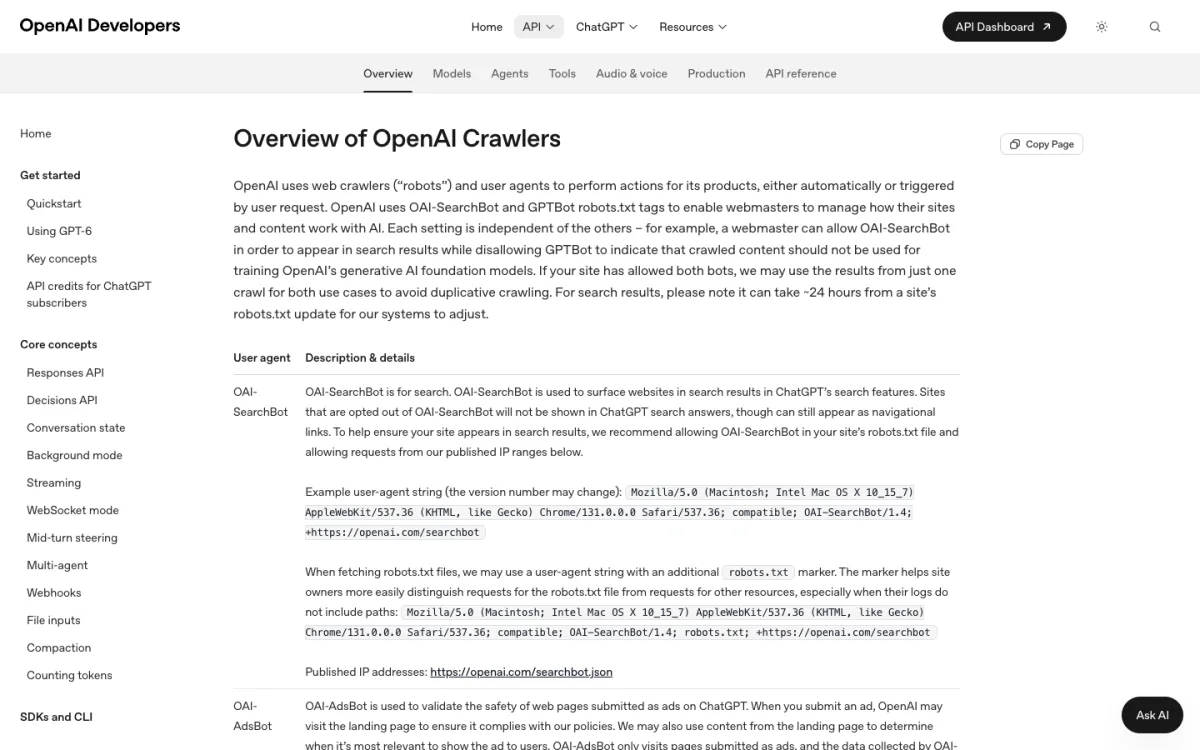
ChatGPT finds websites for its search answers with a crawler called OAI-SearchBot. OpenAI’s documentation is direct about it: sites that opt out of OAI-SearchBot won’t be shown in ChatGPT search answers, except as plain navigational links. Claiming a profile in Business Hub doesn’t change that. If the crawler can’t read your pages, ChatGPT can’t cite them.
OpenAI runs three separate agents, and each has its own robots.txt switch:
OAI-SearchBotfetches pages for ChatGPT search results.GPTBotcollects pages that may be used to train OpenAI’s models. Blocking it doesn’t remove you from search.ChatGPT-Uservisits a page when a person asks ChatGPT to open it. OpenAI notes that robots.txt may not apply to these user-initiated visits.
A robots.txt that allows search but opts out of training looks like this:
User-agent: OAI-SearchBot
Allow: /

User-agent: GPTBot
Disallow: /

Sitemap: https://example.com/sitemap.xml
If your robots.txt is just User-agent: * with Allow: /, OAI-SearchBot is already allowed. Ours is, and when we requested our homepage with OAI-SearchBot’s user-agent string on November 12, 2026, the server returned 200. You can run the same check:
curl -I https://example.com/ \
  -A "Mozilla/5.0 AppleWebKit/537.36 (KHTML, like Gecko); compatible; OAI-SearchBot/1.4; +https://openai.com/searchbot"
A 403 or a challenge page means something in front of your site is blocking bots. That check only tests the user-agent, not OpenAI’s real addresses, so also look at your firewall or CDN bot settings. OpenAI publishes the addresses each crawler uses at openai.com/searchbot.json and openai.com/gptbot.json. Many hosts and website builders let you edit robots.txt; our comparison of the best website builders for SEO shows which ones do.
Step 2: Claim Your Business in Business Hub
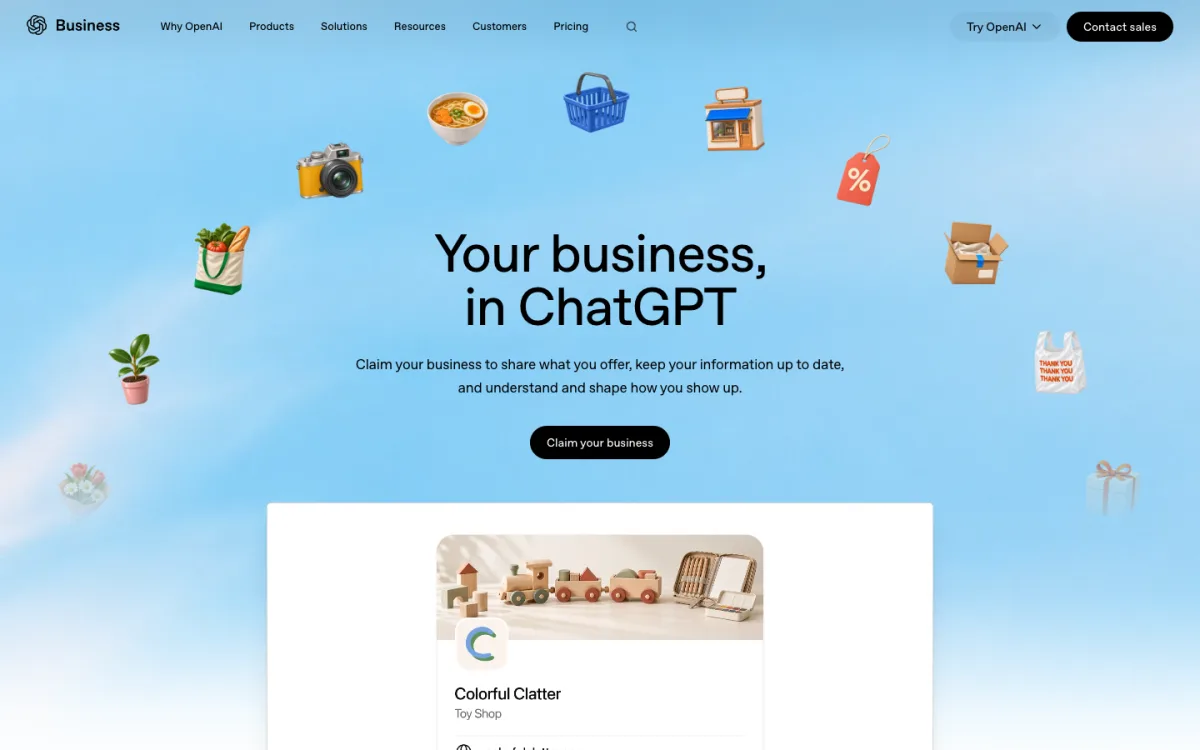
Business Hub is where you claim your listing, correct its details and see how ChatGPT mentions you. OpenAI’s terms say it can create and show a listing for your business whether or not you claim it, so claiming is about managing the profile, not about being added.
Who can claim
You must own the business or be authorized to represent it. Eligibility depends on the business’s location and type: it has to be somewhere ChatGPT is available and where OpenAI supports the verification. OpenAI’s product page says claiming is initially available to businesses with a website. Some limits from the Help Center:
- Local stores and restaurants can currently claim only an existing U.S. listing.
- Eligible online businesses may be able to add a new listing if none exists.
- Each brand is managed separately. Claiming the main brand doesn’t claim its locations.
- OpenAI Enterprise customers and advertisers can claim through their OpenAI representative instead.
OpenAI’s pages say you need a ChatGPT account, but not which plan. Several third-party guides say a free account works; we haven’t confirmed that.
The claim steps
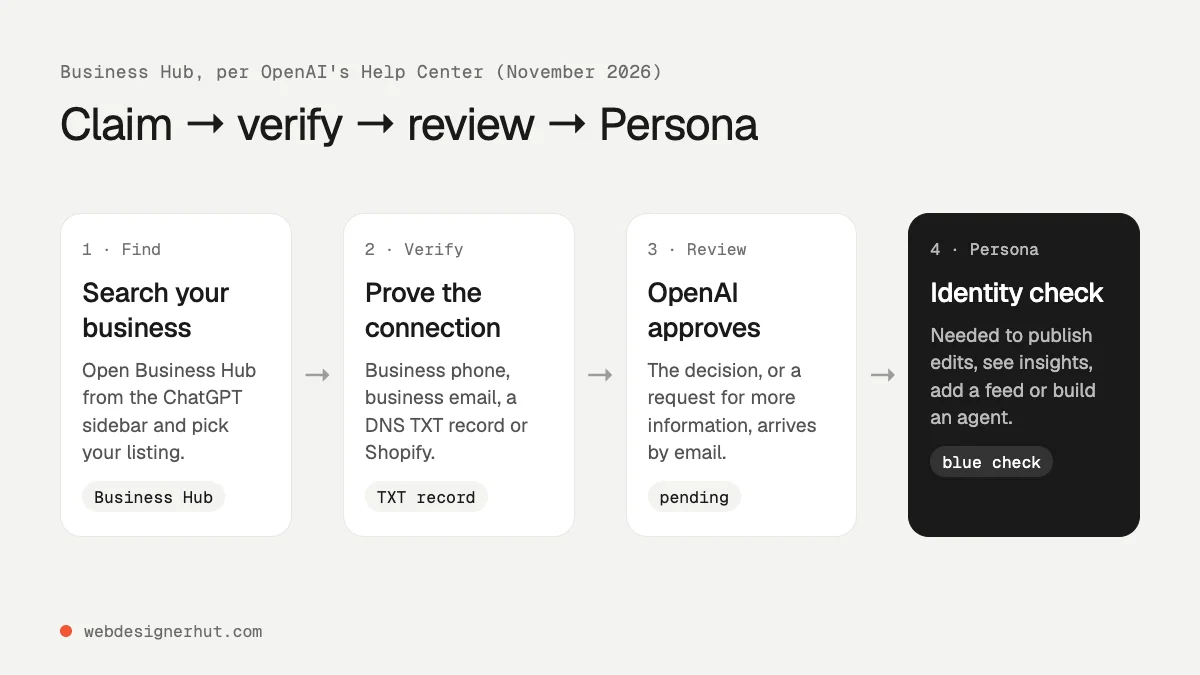
- Sign in to ChatGPT and open Business Hub from the sidebar.
- Search for your business by name and select the listing that matches.
- Confirm the ChatGPT account you will manage it with. Use an account the business controls, not a personal one you might lose access to.
- Choose one of the verification methods offered and follow the prompts.
- Wait for OpenAI’s review. The decision, or a request for more information, arrives by email. You can cancel the claim while it’s pending.
If the listing shows Contact support, it is locked and you need to ask OpenAI for access. If someone else already claimed it, open the profile, use the ••• menu and choose Dispute ownership.
Choosing a verification method
- Business phone: a code by text message or automated call to the number on the listing.
- Business email: a code sent to the address associated with the business.
- Website domain: add a TXT record that ChatGPT shows you to your domain’s DNS.
- Shopify store: connect and sign in to the store you are claiming.
For a business that is mainly a website, the domain method is usually the simplest, because it proves control of the site itself. Copy the record’s type, host and value exactly as shown. DNS changes can take a while to appear, so check the record is public before you press Verify domain:
dig TXT example.com +shortThe output should include the value ChatGPT gave you. If someone else manages your DNS, send them the three fields as they appear in ChatGPT.
Step 3: Verify Your Identity with Persona
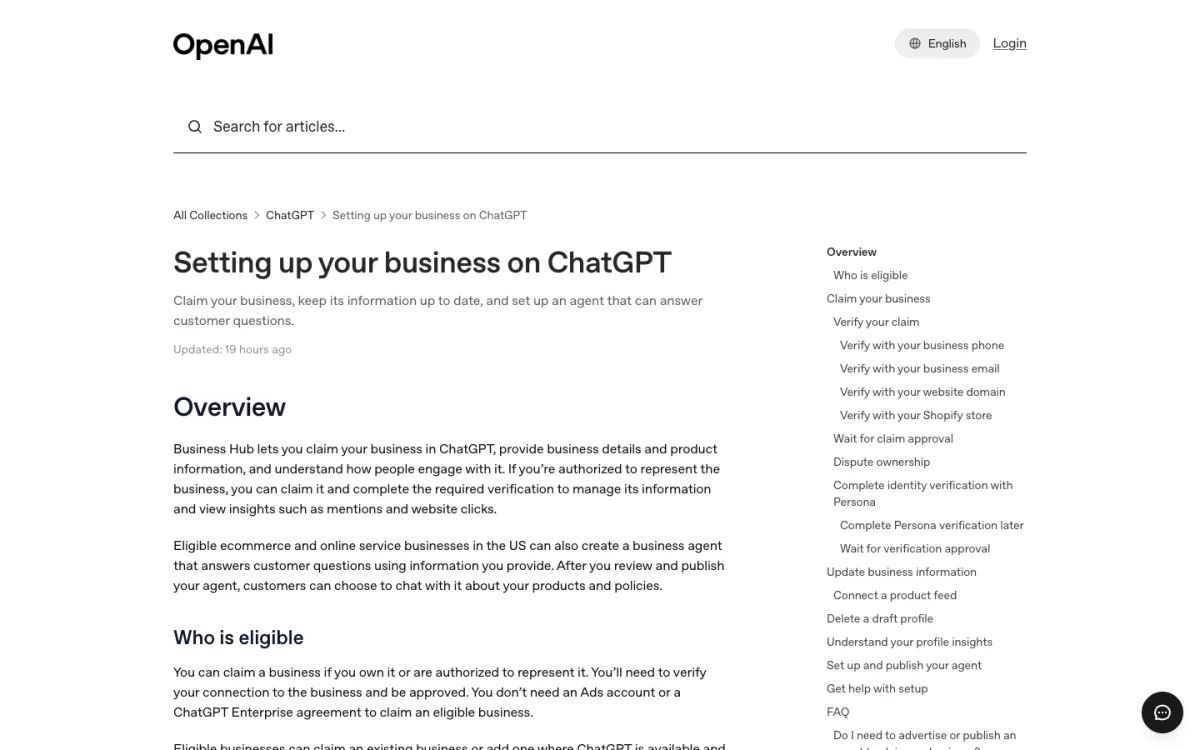
An approved claim gives you access to the business in Business Hub, but not much else. To publish changes to your business information, view insights, connect a product feed or create a business agent, you also need identity verification through Persona, a third-party verification company. Persona may ask for a government-issued ID, business registration information and proof that you can represent the business. Make sure the name, address and any registration or tax number you enter match your official records.
The verified badge, a blue check, appears after Persona verification is approved, according to the Help Center. OpenAI’s product page describes the check as showing the business has been claimed; we’ve followed the Help Center, which is more specific. One more detail: if you use Persona to create a new profile, approval publishes it automatically, with no separate publish step.
What You Can Change, and What You Can See
Once both checks are approved, you can update the profile’s website, business description, category, logo, delivery and return policies, and add a cover photo. OpenAI reviews changes before they appear, and ChatGPT may still draw on other sources when it answers questions about you.
Retailers can connect a product feed, from Shopify or as a CSV or hosted file, with prices and availability. Eligible U.S. ecommerce and online service businesses can also build a Business Agent, a separate chat that answers customer questions from the information you provide. It can explain products and policies and link to your site, but not take orders or bookings. Publishing an agent and advertising are both optional and separate from claiming.
The Insights tab covers the past 28 days:
- Mentions: for an online business, a mention counts when ChatGPT references the business’s website. Naming the brand alone doesn’t count. For a local business, it counts when ChatGPT shows a result for that location.
- Website clicks: how often people clicked through to your site.
- Discovery topics: common themes in answers that mentioned or cited you. You don’t see individual prompts or conversations.
A blank metric doesn’t mean zero. OpenAI only reports a number once activity passes a threshold, so a small site may see empty insights for a while.
Read the Terms Before You Claim
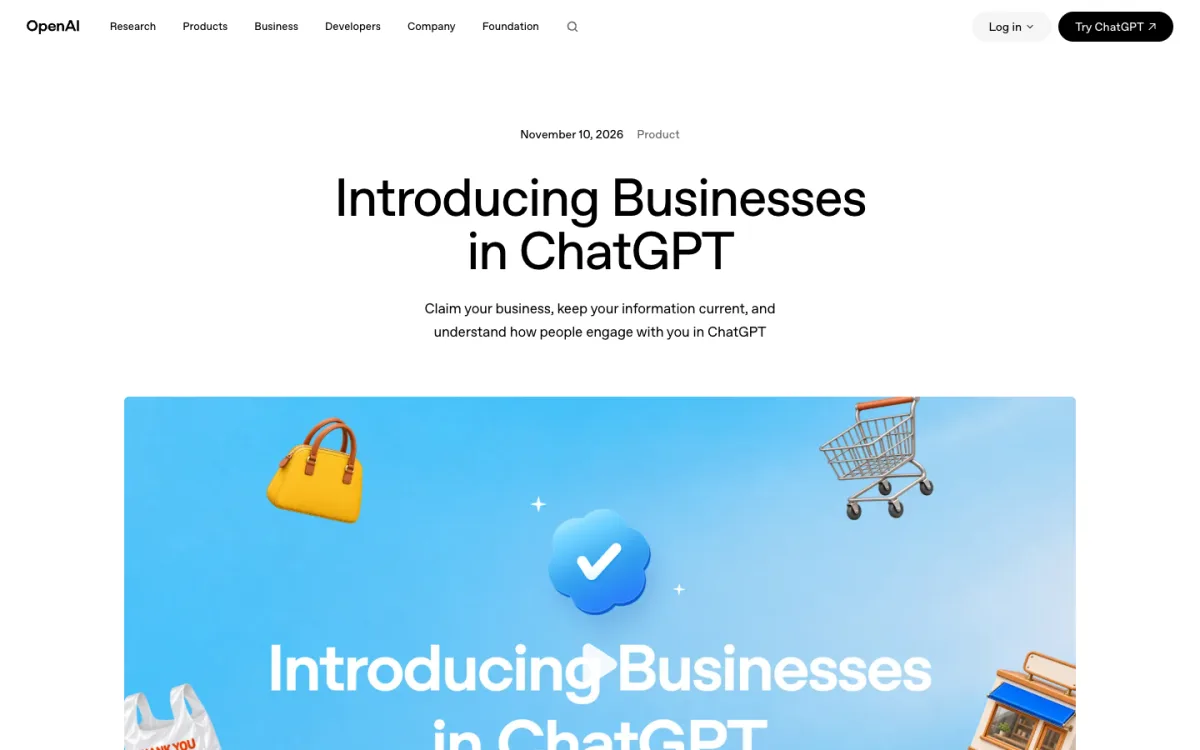
Using Business Hub means agreeing to the Businesses in ChatGPT Terms, last updated November 9, 2026. They are short and worth reading in full. These points stood out to us; this is a summary, not legal advice.
- Your listing isn’t yours alone. OpenAI may keep showing a listing whether or not you manage it, and may supplement, edit or replace what you submit using other sources (section 4.1).
- Basic details stay licensed. The license for basic public information such as name, address, contact details, category, hours and website is perpetual and irrevocable (section 4.2).
- Phone calls. By using Business Hub you agree that OpenAI’s AI assistant may call your business on behalf of ChatGPT users. The terms link to an opt-out (section 4.1).
- Product feeds and crawler opt-outs. If you provide a product feed, you must let OpenAI’s crawlers access your websites, and any text-and-data-mining opt-out you have reserved against OpenAI won’t apply (section 3). If you block GPTBot today, consider this before connecting a feed.
- Claims against OpenAI. Section 10 contains a covenant not to sue and a release covering claims about your submitted data and content on your websites, with an exception for claims that OpenAI breached the terms. If that matters to your business, have someone qualified read it.
- No guarantees. OpenAI doesn’t guarantee verification, placement, traffic or sales (sections 4.1 and 8).
How to Get Mentioned More Often
Claiming improves the accuracy of what ChatGPT says about you, not how often it says it. OpenAI is explicit that ChatGPT keeps making independent recommendations and that advertising doesn’t change them. What you control is your website:
- Keep OAI-SearchBot allowed and your pages fast and reachable. A static site with clean HTML is easy for any crawler to read; our explainer on static vs dynamic websites covers why.
- Put the facts people ask about on real pages: prices, opening hours, delivery areas, return policy. A mention only counts when ChatGPT references your website, so the answer needs to be on it.
- Keep your name, address and phone number the same on your site, your Business Hub profile and other directories, so the verification and the answers line up.
- Publish a sitemap and list it in robots.txt, as in the example above.
If you don’t have a site yet, start with our guide to how to host a website. If an AI tool built it for you, see how to publish a Claude-generated website.
FAQ
Can I submit my website URL to ChatGPT?
Not as a URL submission form. ChatGPT search finds sites through its OAI-SearchBot crawler, so allow it in robots.txt. Business Hub lets you claim a business profile and set its website, which is a separate step.
Is Business Hub free?
OpenAI lists no fee for claiming and says you don’t need an Ads account or an Enterprise agreement. You do need a ChatGPT account.
How long does verification take?
OpenAI doesn’t give a time. It says review time varies and that you’ll get the decision, or a request for more information, by email. Wait for it before trying again.
Will claiming my business improve my ranking in ChatGPT?
No. OpenAI says claiming doesn’t guarantee more visibility and doesn’t give you control over ChatGPT’s independent recommendations.
Do I need Shopify?
No. Shopify is one verification option and a quick way to share a product feed, but phone, email and DNS verification work without it.
Does blocking GPTBot remove me from ChatGPT?
No. GPTBot is for model training. ChatGPT search uses OAI-SearchBot, which has its own robots.txt rule.
Is Business Hub available outside the U.S.?
Claiming is open to eligible businesses where ChatGPT is available, but local stores and restaurants can currently claim only existing U.S. listings, and Business Agents are U.S.-only for now. OpenAI says it plans to expand to more markets.