“Static or dynamic?” is one of the first technical questions behind any new website, and one of the least explained. The two words describe when a page is put together: ahead of time, or at the moment someone asks for it. That one difference decides how fast the site is, how much it costs to host, how easy it is to break into and how easy it is to update.
This guide explains both in plain terms, with diagrams, a comparison table and a decision list for common kinds of sites. We also use this site as a worked example: in November 2026 Web Designer Hut moved from WordPress, a dynamic system, to plain static HTML, and we measured what changed.
The Short Answer
- A static website is a set of ready-made files: HTML, CSS, JavaScript and images. The server sends the same file to every visitor. Static does not mean boring or motionless; it can have animation, video and interactive JavaScript.
- A dynamic website builds each page on the server when it is requested, usually by running code (PHP, Node.js, Python, Ruby) that reads from a database. WordPress, Shopify, online banking and social networks are dynamic.
- Choose static for portfolios, brochure sites, landing pages, documentation and most blogs, especially if speed, security and low hosting costs matter.
- Choose dynamic when pages depend on who is looking or change by the second: logins, shopping carts, dashboards, member areas and large sites edited by many non-technical people.
How Each One Serves a Page
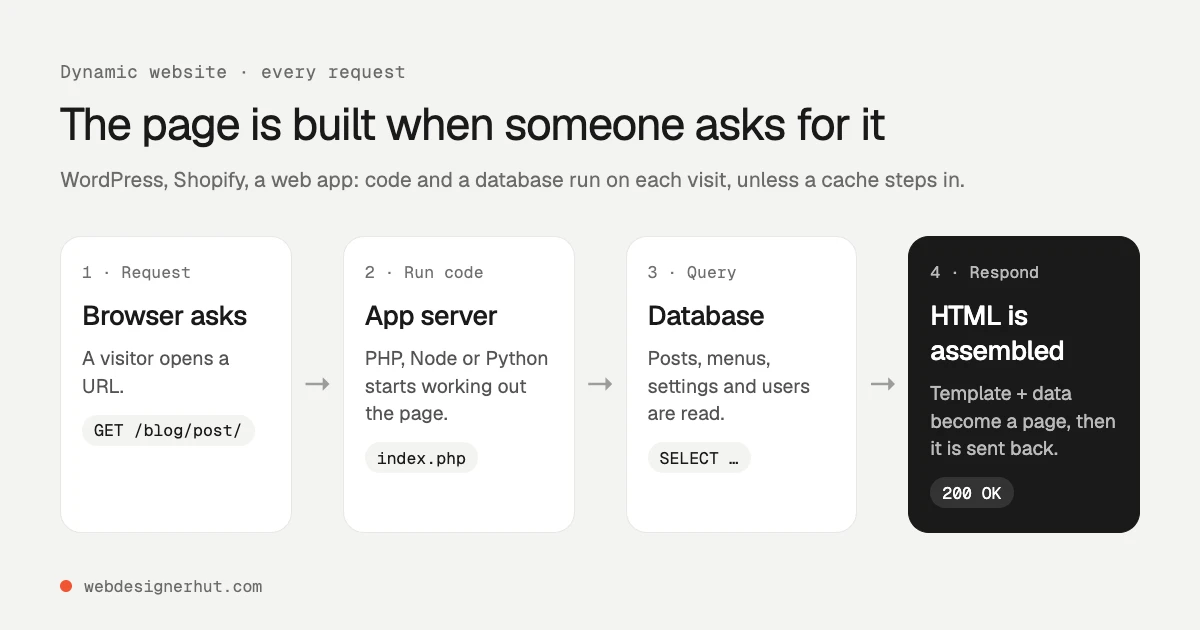
On a dynamic site, a request starts a small chain of work. The web server hands the request to an application, the application asks a database for the content, fills a template with it, and sends the finished HTML back. This happens on every uncached visit, which is why dynamic sites often add caching plugins or a CDN to avoid doing the same work again.
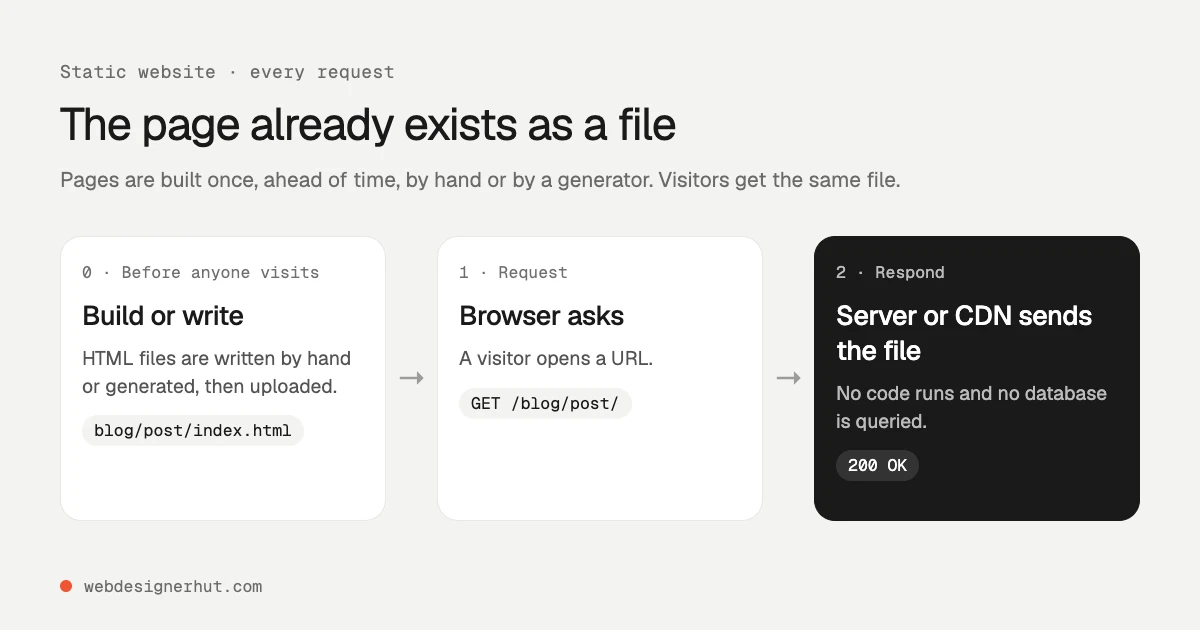
On a static site, that work happens once, before anyone visits. You write the HTML by hand or a static site generator such as Hugo, Eleventy or Astro builds it from templates and text files. The files are uploaded to a server or CDN, and every request is answered by sending a file that already exists.
A useful way to tell them apart: if two visitors open the same URL at the same moment and can see different HTML, the site is dynamic. If they always get identical files, and anything personal is added in the browser afterwards, it is static.
Static vs Dynamic: Pros and Cons
| Static | Dynamic | |
|---|---|---|
| Speed | Fast by default: no code or database between the request and the response, and files cache well on a CDN. | Depends on the code, the database and caching. Can be fast, but it takes work. |
| Security | Little to attack: no login page, database or plugins on the server. | More to keep patched: the application, its plugins, the database and admin accounts. |
| Hosting cost | Often free or a few dollars a month. Any web server or static host will do. | Needs a server that runs the language and a database, usually from a few dollars a month for shared hosting upward. |
| Traffic spikes | A CDN can serve the same files to huge numbers of visitors. | Each uncached visit uses server resources, so spikes can slow or stop the site. |
| Editing | Edit files, or use a static site generator or a headless CMS. Harder for non-technical editors. | A browser-based admin, such as the WordPress editor. Easy for anyone. |
| Features | Forms, search, comments and payments need third-party services or client-side JavaScript. | Logins, carts, personalization and anything that depends on the user are built in. |
| Maintenance | Almost none on the server side. | Regular updates to the core software, plugins, themes and the server’s PHP or Node version. |
| Scale of content | Rebuild times grow with very large sites (thousands of pages). | Handles huge, frequently changing catalogs naturally. |
The Middle Ground: Static Sites With Dynamic Features
Most sites need only a few dynamic features, and each one can usually be added to a static site with a small service or some JavaScript in the browser. This approach is sometimes called the Jamstack.
- Contact forms. A form backend receives the submission and emails it to you. Formspree’s free plan takes 50 submissions a month; Netlify and Static.app have forms built into their hosting. Our guide to an HTML contact form on a static site shows the code.
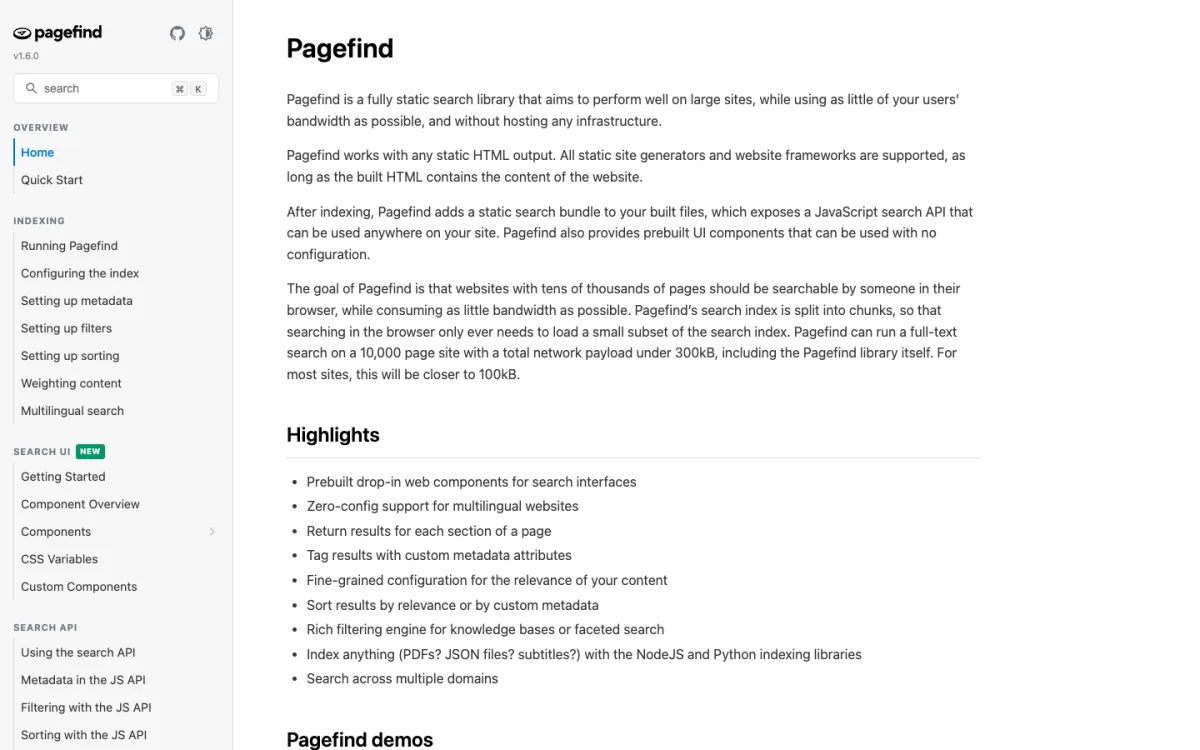
- Search. A search index can be built ahead of time and searched in the browser. Pagefind, an open-source library, indexes the built HTML and, on its own figures, can search a 10,000-page site with under 300 KB of downloads. This site uses a small JSON index and a script we wrote.
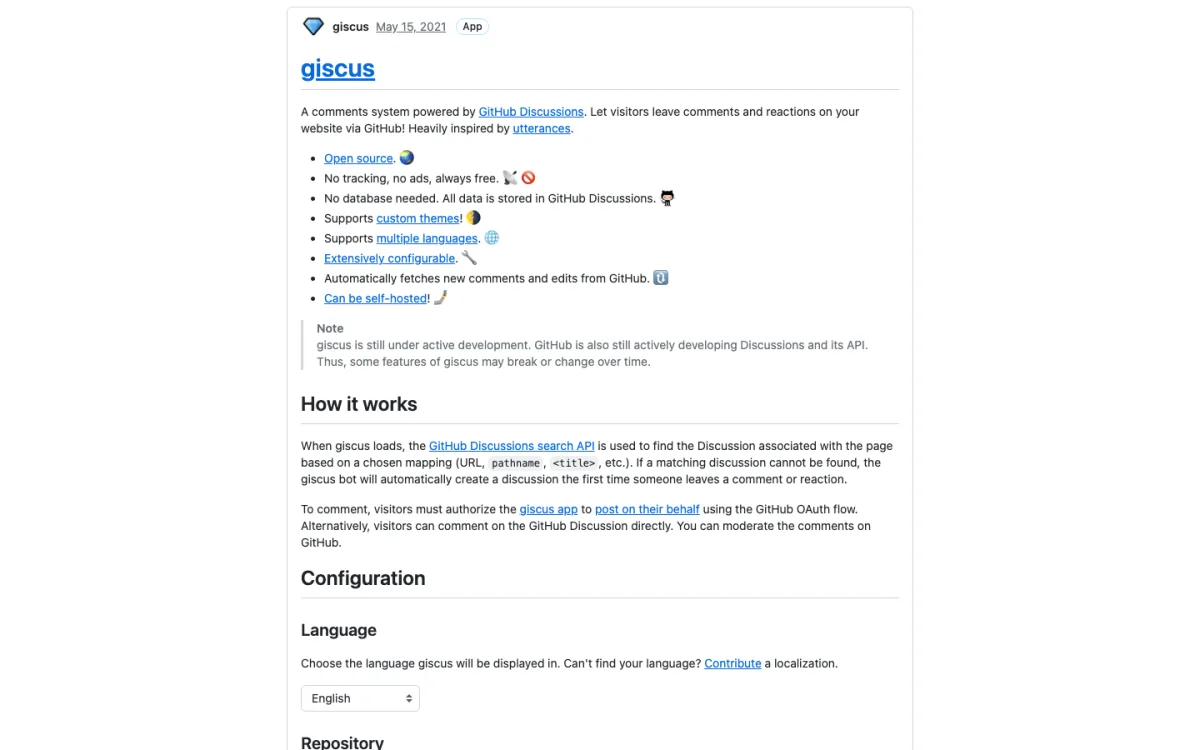
- Comments. giscus stores comments in GitHub Discussions, for free and with no ads or tracking, though visitors need a GitHub account to comment.
- Selling. A payment link or an embedded buy button from a provider such as Stripe or Shopify handles the checkout on their side.
- Small bits of server logic. Serverless functions on hosts such as Netlify, Vercel or Cloudflare run code only when called, without a server to maintain.

The line can blur from the other side too. Many dynamic sites cache their pages so that most visitors get a stored copy, and frameworks such as Next.js and Astro can build some pages ahead of time and others on request. The question is less “which technology” than “which pages really need to be built per visitor.”
Which One for Your Site?
- Portfolio or personal site: static. It changes rarely, needs to load fast and should cost almost nothing to host.
- Small business or brochure site: static, with a form service for enquiries. If the owner wants to edit it themselves, use a builder instead; most website builders are dynamic platforms that hide the work from you.
- Blog: static if the writers are comfortable with Markdown or HTML, or with a headless CMS in front of a static site generator. Dynamic, such as WordPress or Ghost, if several non-technical people publish every day.
- Documentation: static. Generators such as Docusaurus, Hugo and Astro’s Starlight are built for it.
- Online store: dynamic for anything beyond a handful of products, because of stock, carts, accounts and orders. A few products can sell from a static page with payment links.
- Web app, member site or dashboard: dynamic. When every page depends on who is logged in, building it ahead of time makes no sense.
If you go static, our guides on how to host a website and the best static hosting compare where to put the files, and the HTML guide covers writing the pages yourself.
Our Example: What Changed When This Site Went Static
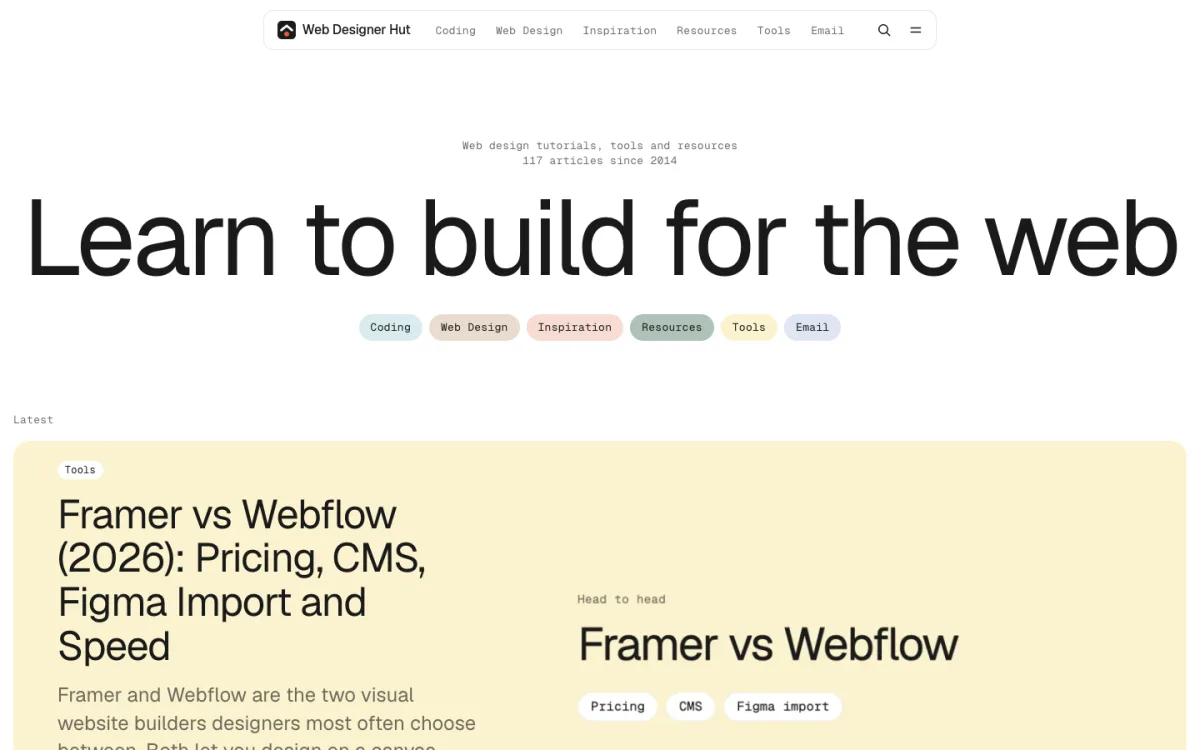
Web Designer Hut ran on WordPress for twelve years. In November 2026 we turned it into plain HTML files kept in Git. A merge to the main branch copies the files to the web server, which no longer needs PHP or a database to serve them.

We served both versions from the same machine and ran Lighthouse 10.4 in mobile mode, three runs per page, on November 12, 2026. Medians:
| Page | Score | Largest Contentful Paint | Page weight |
|---|---|---|---|
| Home page | 74 → 97 | 6.3 s → 2.4 s | 1,849 KB → 293 KB |
| Category page | 80 → 97 | 4.8 s → 2.4 s | 727 KB → 282 KB |
| Long guide | 81 → 96 | 4.5 s → 2.4 s | 585 KB → 276 KB |
| Short tutorial | 93 → 96 | 2.9 s → 2.4 s | 312 KB → 254 KB |
Two caveats keep this honest. First, the “before” pages were a static copy of what WordPress produced, so the table leaves out the time WordPress spent running PHP and database queries on each uncached request; the real site was slower than these numbers. We could not measure that server time afterwards because the old site is no longer served. Second, the new site also had a redesign, so not every gain comes from going static. A lean WordPress theme with good caching can score well too.
Other things changed as well. The WordPress folder was 1.3 GB; the static site, with every image, is 141 MB. There are no plugin or core updates to apply. In exchange we lost the WordPress editor, comments and scheduled posts, and we rebuilt search, related posts and metadata with small scripts. Our article on WordPress alternatives covers the move and the trade-offs in detail.
FAQ
What is a static website, in simple terms?
A website made of ready-made files that the server sends as they are. Every visitor gets the same HTML for the same URL.
What are examples of dynamic websites?
Online stores, social networks, web email, online banking, booking systems and most WordPress sites. Anything with logins, carts or pages that change per visitor is dynamic.
Can a static website have JavaScript and animation?
Yes. “Static” refers to how the server delivers the files, not to what happens in the browser. A static site can have menus, sliders, animation, video and interactive tools.
Is a static website better for SEO?
Not by itself. Search engines read both equally well. Static sites tend to be fast and stable, which helps page experience, but content, links and titles matter far more. The same goes for AI search; our guide to submitting your website to ChatGPT covers the crawler settings.
Is WordPress static or dynamic?
Dynamic. WordPress builds each page with PHP and a MySQL database. Plugins can export a WordPress site to static files, which is close to how this site’s move started. Our WordPress to static site case study walks through the whole move.
Can I update a static website without coding?
Yes, with a headless CMS that edits content in a browser and triggers a rebuild, or with a builder that publishes static output. Without one, updates mean editing files.