Wix Studio is the better pick for agencies that build client sites with stores, bookings or large CMS libraries, and that want free teammates and a plan that moves to the client with the site. Framer is the better pick for design-led studios that ship marketing sites with heavy motion and want branching and staging, as long as they accept per-editor fees and no native checkout. This comparison is for agencies and freelancers who build and hand over client sites, with prices and limits checked in November 2026.
TL;DR
- Best for client stores and business apps: Wix Studio. Native ecommerce from Standard (€20/mo), plus bookings, events and 80+ payment providers.
- Best for motion-heavy marketing sites: Framer. Design canvas, branching with previews and a staging environment on Pro (€30/mo per site).
- Best for big agency teams: Wix Studio. Workspace teammates are unlimited and free; Framer charges €20/mo per extra editor.
- Best for clean handover: Wix Studio. The site plan can transfer with the site; on Framer the plan is canceled and the client buys a new one.
- Best for many small brochure sites on one bill: Siter.io. Plus is $12/mo billed yearly for 3 sites and 4 editor seats, but it has no ecommerce and no free plan.
- Best for code export: neither. Webflow exports HTML and CSS on paid Workspace plans, without CMS content.
What agencies should compare
For a single site, both builders cost about the same. The gap shows up across 10 or 20 client sites. These are the questions that change the total bill and the workload:
- Who pays for seats? A per-editor fee multiplies with every designer and every client who edits content.
- What happens at handover? Does the paid plan move to the client, or does the client start a new subscription?
- How big can the CMS get? Blog, case study and product libraries grow every year.
- Can the client sell? Native checkout or a third-party plugin.
- Can you leave? Code export decides how locked in your clients are.
Both vendors showed prices in euros from our network, billed yearly. We list them as shown and do not convert them.
Wix Studio vs Framer at a glance
| Feature | Wix Studio | Framer |
|---|---|---|
| Price per site (EUR, as shown, billed yearly) | Basic €12, Standard €20, Plus €32, Elite €149 per month | Free €0, Basic €10, Pro €30 per month |
| Free plan | Building in the workspace is free; a plan is needed for a custom domain | Yes, on a Framer domain; Framer calls it ideal for non-commercial use |
| Seats | Unlimited workspace teammates; 3, 5, 10 or 100 outside site collaborators by plan | Owner free, viewers free, editors €20/mo, content editors €10/mo, 10 seats max on Basic and Pro |
| CMS limits | 1,500, 4,000, 20,000 or 10,000,000 items by plan | Basic 2 collections, 1,000 items; Pro 10 collections, 2,500 items, up to 40,000 with add-ons |
| Client handover and billing | Site transfer can include the plan; client kits, content mode, invoices and recurring invoices for your services | Project transfer; the site plan is canceled, you get account credit, the client buys a plan |
| Roles | Custom roles and permissions, content mode for clients | Editors, content editors, free viewers |
| Ecommerce | Native, from Standard; 50,000-product catalog on paid store plans | No native checkout; marketplace plugins |
| Code export | No; sites must run on Wix servers | No HTML export for self-hosting |
| AI features | Responsive AI, AI code assistant, image, text and meta tag tools | AI agent on the canvas, credits: 500, 1,000 or 3,000 per month |
| Templates and marketplace | Studio template library plus partner templates | Community marketplace with free and paid templates |
Pricing: per site and per seat
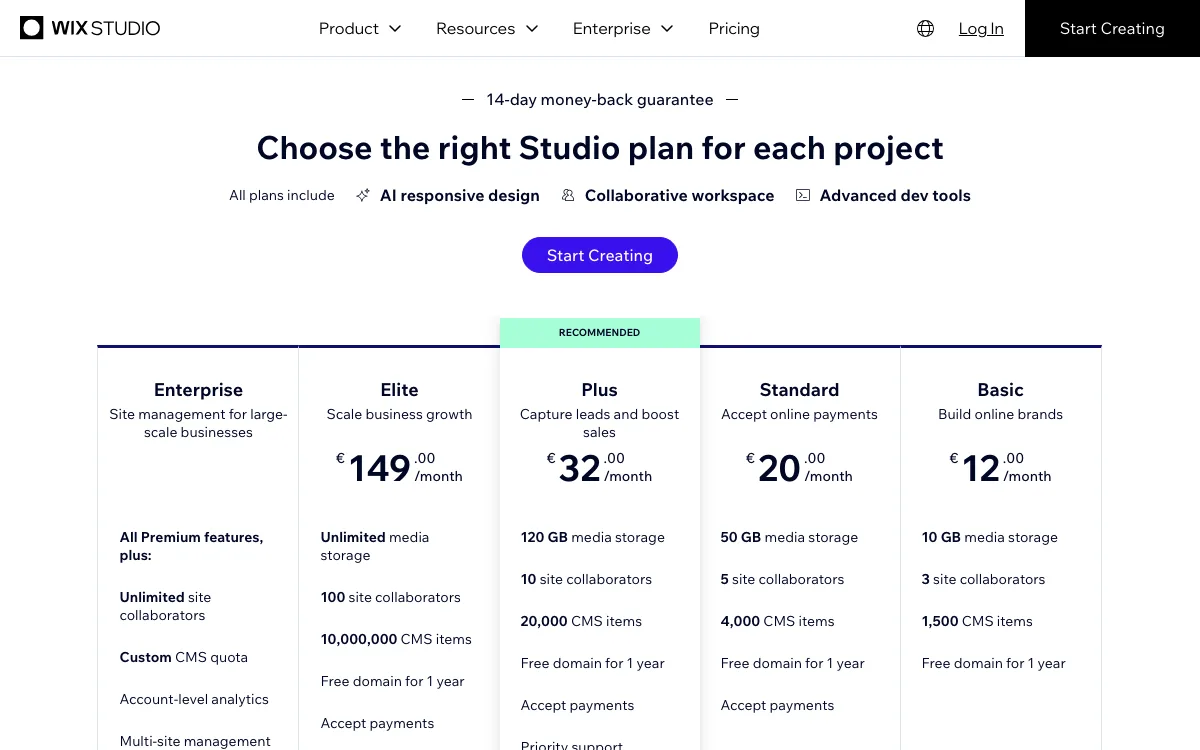
Wix Studio charges per site, not per person. Creating sites in the workspace is free. You buy a site plan when the site needs a custom domain and no Studio branding. As shown on November 18, 2026, billed yearly: Basic €12/mo, Standard €20/mo, Plus €32/mo and Elite €149/mo. Enterprise is quoted. The plan page offers a 14-day money-back guarantee on the first upgrade.
Seats are where Wix Studio pulls ahead for agencies. The plans FAQ says there is no limit to the number of teammates in one workspace. Each plan caps outside site collaborators at 3, 5, 10 or 100, which mostly affects how many client-side people you invite.
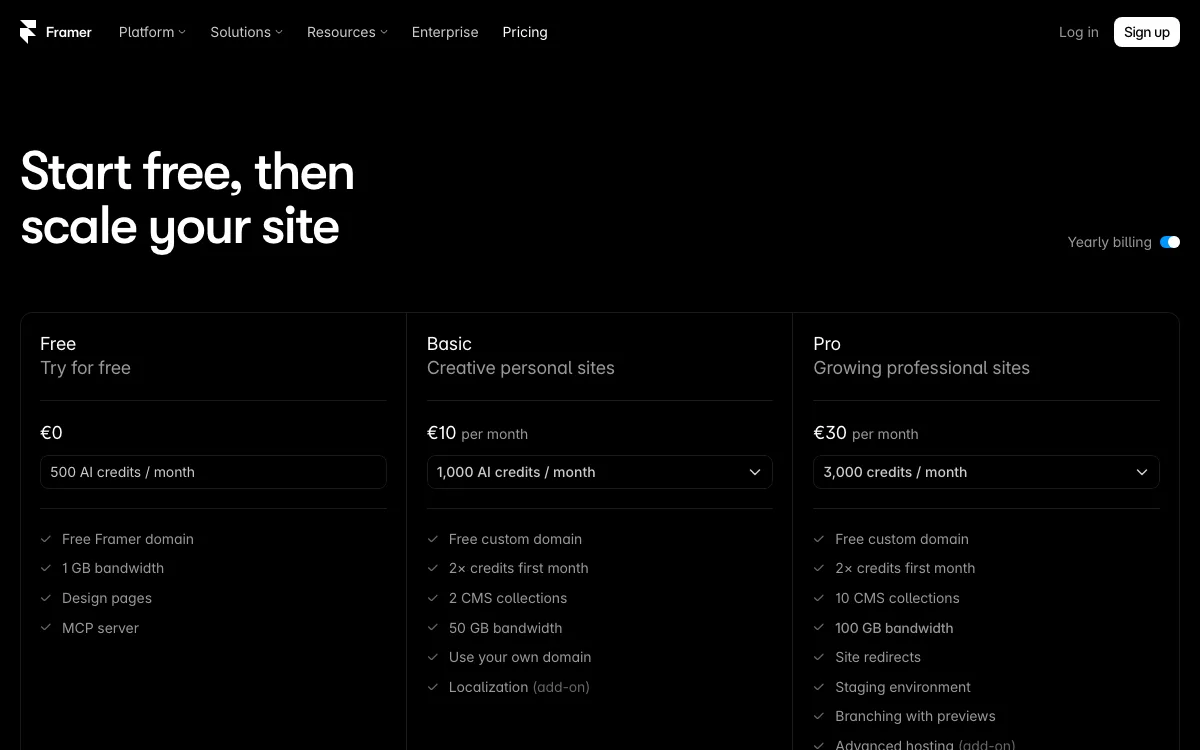
Framer also charges per site: Basic €10/mo and Pro €30/mo billed yearly, plus a free plan on a Framer domain. People cost extra. The workspace owner and viewers are free. Each additional editor costs €20/mo and each content editor €10/mo, with a maximum of 10 seats on Basic and Pro.
A simple example: one client site with three designers. On Framer Pro that is €30 plus two editors at €20, so €70 per month. On Wix Studio Plus it is €32 per month, and the same three people can work on every other site in the workspace at no extra cost.
Framer has one agency exception. Agencies accepted into its Experts directory get free, unlimited Framer access, and Pro Experts get free editor access on client projects. This is application-based, so do not plan your margins on it until you are accepted.
Design control
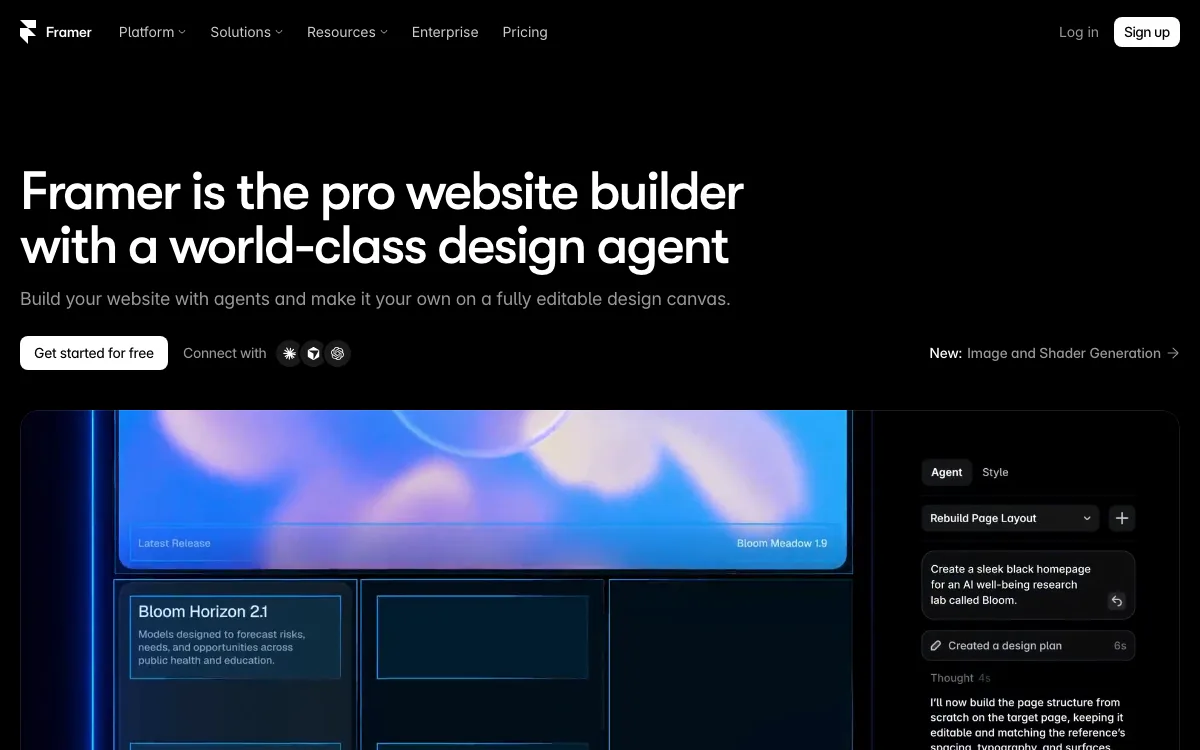
Framer feels like a design tool. You work on a free canvas with breakpoints, components and built-in motion, and Pro adds branching, branch previews and a staging environment. It suits studios that sell scroll animation and polished launch pages.
Wix Studio is closer to a full web platform. It has grid systems, custom breakpoints, custom CSS, code-free animations and an import from Figma. It also gives developers a VS Code-based environment and the Wix Data APIs. It suits agencies that mix design with backend logic, such as member areas or custom checkout rules.
CMS
Wix Studio has far more CMS room. Items per site are 1,500 on Basic, 4,000 on Standard, 20,000 on Plus and 10,000,000 on Elite. You get dynamic pages, CSV import, scheduled content, and code access through Wix Data APIs. Enterprise adds an account-level CMS shared across sites.
Framer’s CMS is simpler and capped tighter. Basic allows 2 collections and 1,000 items. Pro allows 10 collections and 2,500 items. Add-ons lift Pro to 40 collections and 40,000 items at €40 per 10 collections and €20 per 10,000 items, as shown. Framer’s AI agent can also create collections and fill them from a CSV.
For a portfolio or a startup blog, both are enough. For a publisher, a directory or a catalog, Wix Studio is the safer choice.
Client handover and billing
This is the biggest practical difference for agencies.
On Wix, you can transfer a premium site to the client’s account and include the site plan. Your payment details stay with you, and the client pays future renewals. You can keep a Co-Owner role after the transfer. Wix Studio also has client kits with tutorials and guides, a content mode that lets clients edit copy and media without breaking the layout, and automated monthly reports. Its CRM & Client Billing area lets you send invoices for your own services, one-off or recurring, and clients pay through a link.
On Framer, you use Project Transfers. The site stays online and the custom domain keeps working. But when the client accepts, the existing site plan is canceled, the unused time becomes account credit for you, and the client must select and pay for a new site plan. Framer’s pricing and agencies pages list no client invoicing tool, so plan to bill for your services elsewhere.
Ecommerce
Wix Studio wins clearly. Payments start on Standard (Basic cannot accept payments). The plan comparison lists a 50,000-product catalog on paid store plans, abandoned cart recovery, subscriptions, multiple currencies and marketplace selling. Wix also lists point-of-sale tools and 80+ payment providers.
Framer’s pricing page lists no store or checkout. Selling relies on plugins from its marketplace, such as Framer Commerce, or on an external store. That works for a few products or a digital download, but adds a second vendor for the client to pay.
AI features
Framer puts AI at the center. Its agent builds and edits pages, sections, copy, CMS collections and code components on the canvas, and can review a site for contrast, typos, missing alt text and SEO gaps. It runs on credits: 500 per month on Free, 1,000 on Basic and 3,000 on Pro, shared across the workspace. AI translation is an add-on at €20 per locale. An MCP server for tools like Claude Code and Cursor is free during preview.
Wix Studio spreads AI across smaller tools: responsive AI that adapts sections to screen sizes, an AI code assistant, image generation and editing, text generation, meta tag suggestions and AI-generated CMS collections. It is less of a single agent and more of a set of helpers.
Performance and hosting
Wix Studio includes unlimited bandwidth on every plan. Wix says it hosts on AWS, Google Cloud, Fastly and its own data centers, with 200+ CDN nodes. Its infrastructure page claims 99.99% uptime; only Enterprise has an uptime SLA, while the other plans list an SLO.
Framer meters bandwidth: 1 GB on Free, 50 GB on Basic and 100 GB on Pro, with overage alerts. Basic serves from 20 CDN locations and Pro from 300+. Framer optimizes images to WebP and AVIF and compresses files with Brotli.
We did not run speed tests. Both platforms can produce fast sites; heavy animation and large images matter more than the host.
Wix Studio vs Webflow, and other options for agencies
If neither fits, two other builders are worth a look. We compared Framer vs Webflow in a separate article, so here is only what matters against Wix Studio.
1. Webflow: best for code export
Webflow is the usual answer to “Wix Studio vs Webflow” for agencies with front-end skills. It is the only builder here with full-site code export. Paid Workspace plans export HTML, CSS, JavaScript and assets, but CMS, ecommerce and localized content are not included, and forms and site search stop working.
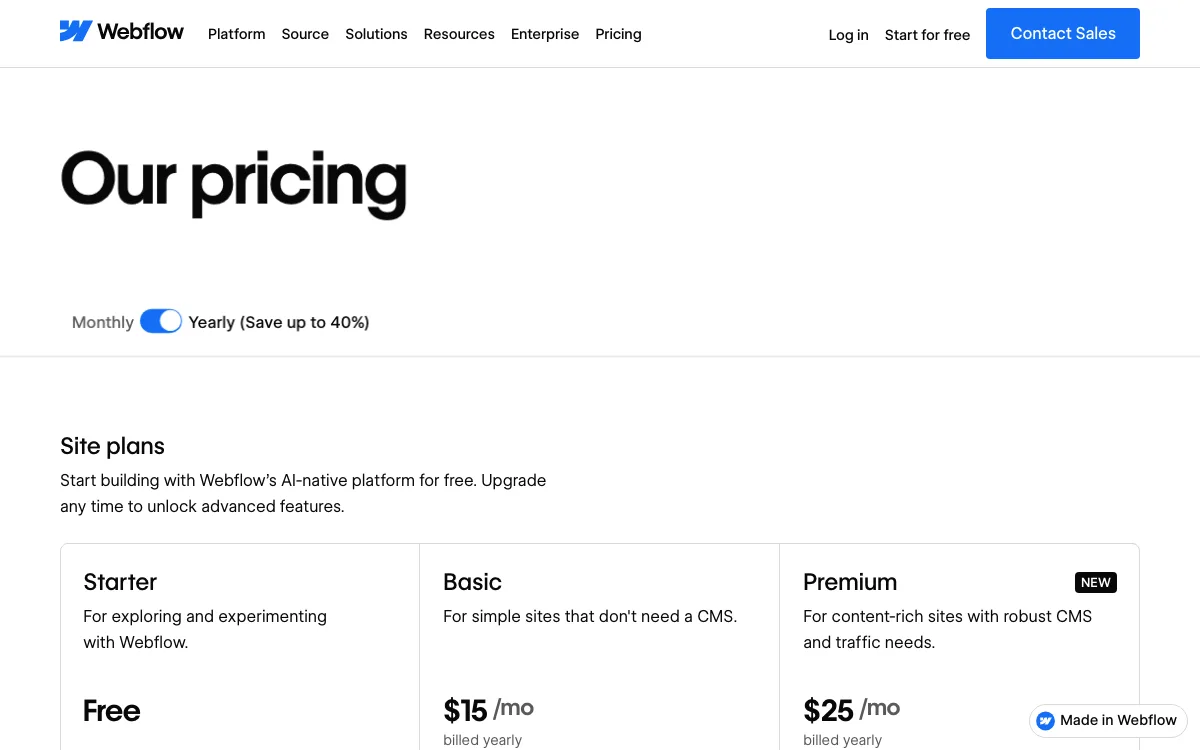
Site plans are priced per site in USD: Starter is free on a webflow.io domain, Basic is $15/mo billed yearly without a CMS, and Premium is $25/mo billed yearly with the CMS. Workspace plans for teams are billed separately. Compared with Wix Studio, Webflow is stronger on code export; Wix Studio has the larger set of built-in business tools listed on its plans page, such as bookings, events and restaurant management.
Good for: agencies that want exportable code. See our Webflow alternatives if its pricing is the problem, or our Readymag alternatives for editorial sites.
2. Siter.io: best for several small sites on one plan
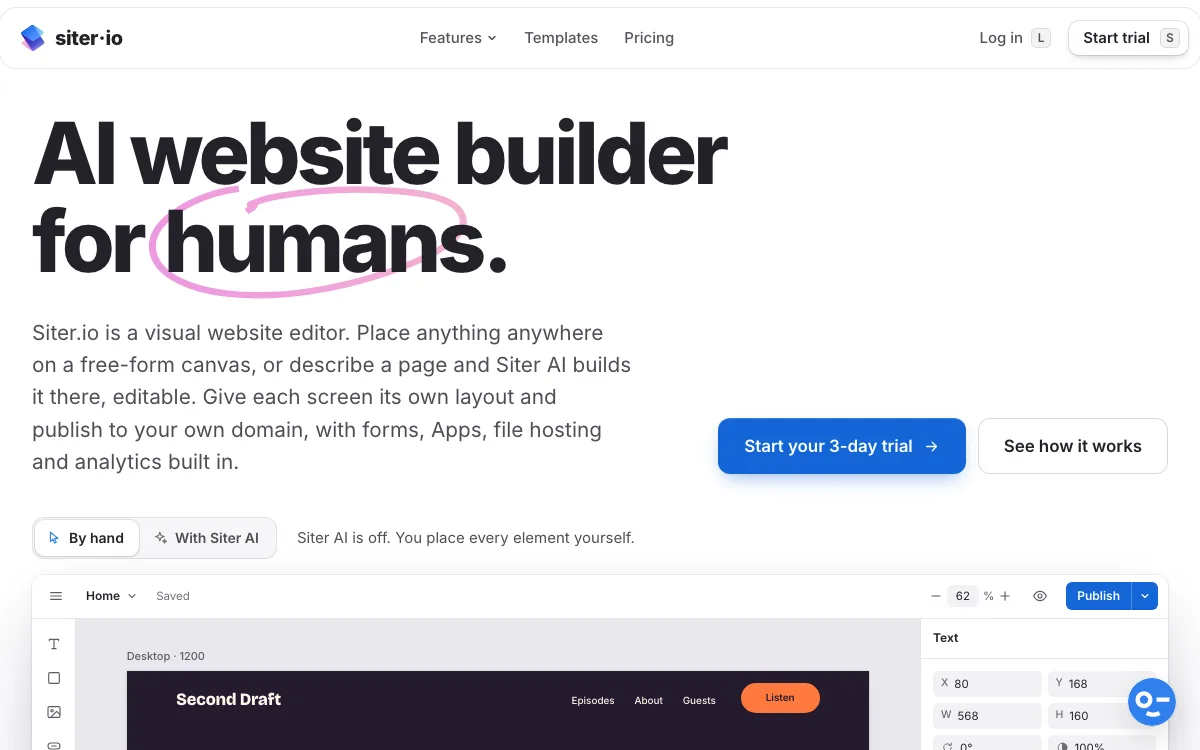
Siter.io is a visual editor with a free-form canvas, separate layouts per screen size, a Figma plugin and AI page building. Unlike Wix Studio and Framer, it prices per plan, not per site, and includes editor seats.
- Solo: $7/mo billed yearly or $8 monthly. 1 website, 2 editor seats, 10 pages.
- Plus: $12/mo billed yearly or $14 monthly. 3 websites, 4 editor seats, 50 pages.
- Pro: $24/mo billed yearly or $28 monthly. 5 websites, 6 editor seats, unlimited pages, HTML download.
Extra websites and extra seats cost $4, $6 or $8 each depending on the plan. Every plan includes transfer ownership. The CMS covers blog, projects, team, events and testimonials, with CSV import and export and scheduled posts.
The limits are real. There is no free plan for new accounts, only a 3-day trial with a card. There is no ecommerce, no multi-language support and no real-time co-editing. Wix Studio beats it on stores, CMS scale and agency tooling; Framer beats it on motion, templates and a free plan.
Good for: freelancers and small studios running several portfolio or brochure sites that do not need a store.
Which should you choose in 2026?
- Your clients sell products, take bookings or run events: Wix Studio.
- You have more than three people editing sites: Wix Studio, because teammates cost nothing.
- You want the paid plan to move to the client at handover: Wix Studio.
- You sell high-end launch pages with motion and need staging: Framer Pro.
- You want an AI agent that edits the canvas with you: Framer.
- You need to hand clients exportable code: Webflow.
- You run several small sites without stores on a tight budget: Siter.io Plus or Pro.
Still deciding on a builder for SEO-heavy clients? Our guide to the best website builder for SEO covers that angle.
FAQ
Is Framer cheaper than Wix Studio?
Per site, Framer Basic (€10/mo) is cheaper than Wix Studio Basic (€12/mo), both as shown in EUR and billed yearly. Once you add people, Framer usually costs more, because each extra editor is €20/mo while Wix Studio teammates are free.
Can I export code from Wix Studio or Framer?
No. Wix says its sites must be hosted and run on Wix servers. Framer says it does not offer HTML export for self-hosting. Webflow exports code on paid Workspace plans, and Siter.io Pro offers HTML download.
Can my client pay for their own site plan?
Yes on both. On Wix you can transfer the site with its plan, and the client pays future renewals. On Framer the transfer cancels your plan and credits you for the unused time, and the client buys a new site plan.
Is Wix Studio better than Webflow for agencies?
Wix Studio is better if clients need stores, bookings or events and you want free teammates. Webflow is better if you want to hand clients exportable HTML and CSS. Both price hosting per site.
Does Framer have ecommerce?
Not natively. Framer’s plans list no checkout, so stores rely on marketplace plugins or an external platform. Wix Studio includes ecommerce from the Standard plan.