Freshping is gone. Freshworks disabled free accounts on March 6, 2026, and stopped renewing paid plans after that date. If you need a replacement, the best Freshping alternatives in 2026 are Pulsetic, for status pages on your own domain and a $9 upgrade path, and HetrixTools, for the closest free like-for-like setup with checks every minute. This guide is for former Freshping users: small teams, agencies and Freshdesk or Freshservice customers who want a free or cheap uptime monitor with a public status page. We checked every pricing page in November 2026.
TL;DR
- Best for status pages and a cheap upgrade: Pulsetic. 3 free status pages on your own domain, unlimited from $9 a month.
- Best free like-for-like: HetrixTools. 15 free monitors checked every minute, with Slack, Teams and webhook alerts.
- Best for the most free monitors: UptimeRobot. 50 monitors free, commercial use allowed, but only a basic status page.
- Best for on-call and incidents: Better Stack. Free plan for personal projects; paid plans add on-call scheduling and phone alerts.
- Best for paying nothing, ever: Uptime Kuma. Open source, self-hosted, 20-second checks.
What happened to Freshping
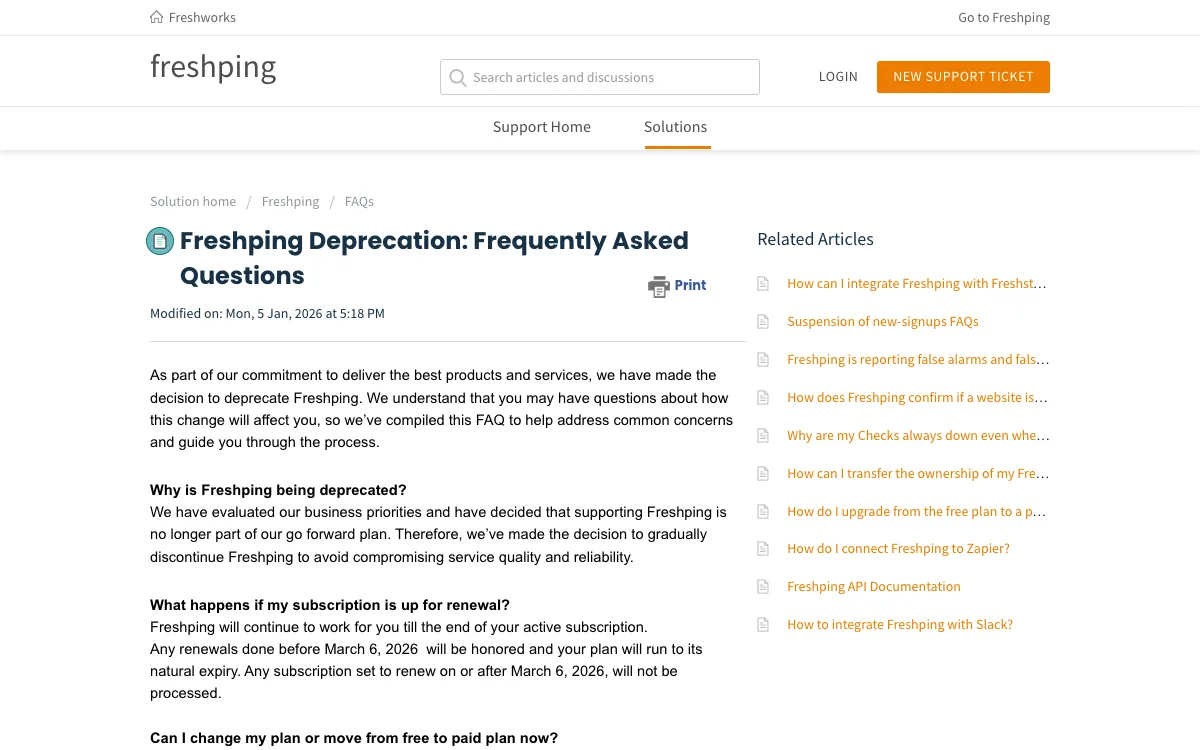
In 2023, Freshworks paused new Freshping sign-ups and said it was working on a revamped product. In 2026 it chose to retire Freshping instead. Its deprecation FAQ, last updated January 5, 2026, sets out the shutdown:
- Free accounts: disabled on March 6, 2026.
- Paid accounts: renewals due on or after March 6, 2026 were not processed. Each paid account runs to the end of its term, then is disabled.
- Data export: free accounts could export until June 4, 2026. Paid accounts can export until 90 days after their subscription ends.
- Deletion: data is kept for 90 days after an account is disabled, then permanently deleted.
- Successor: none. Freshworks does not name a replacement product. It only advises moving to “an alternative monitoring tool.”
Integrations with Freshdesk and Freshservice keep working only while a Freshping account is still active. So if you ran Freshping on the free plan, your monitoring stopped in March. Your status page went with it.
What Freshping users should look for in a replacement
Freshping’s own help center shows what its free plan covered. Free users got up to 5 public status pages, with your logo and an optional custom domain. Checks covered HTTP(S), ping, TCP, UDP, WebSocket and DNS. Free and paid users could send alerts to Slack, Twilio, Zapier, webhooks, Freshdesk and Freshservice. A failed check was retried from a second location before it counted as downtime.
That gives you a checklist. Compare free plans on six points:
- Monitors: how many URLs you can watch for free.
- Interval: how often each URL is checked. One minute and five minutes are very different for a store.
- Status pages: how many, and whether they can sit on your own domain, such as status.yourcompany.com.
- Commercial use: some free plans are for personal projects only.
- Alert channels: email alone, or Slack, Teams and webhooks too.
- Failure confirmation: whether a second location confirms an outage before you get paged.
No free plan below matches Freshping’s 5 custom-domain status pages exactly. Pulsetic and HetrixTools come closest, with 3 each.
Freshping alternatives at a glance
| Tool | Best for | Free plan | Starting price | Key limits |
|---|---|---|---|---|
| Pulsetic | Status pages, agencies | 10 monitors, 5 min, 3 status pages on your domain, commercial use | $9/mo | Free alerts by email and 1 webhook only |
| HetrixTools | Free like-for-like | 15 monitors, 1 min, status pages, 3 custom domains | $9.95/mo | Must log in every 90 days; 1 email recipient on free |
| UptimeRobot | Many monitors free | 50 monitors, 5 min, 1 basic status page | €10/mo (EUR, as shown) | No own domain or Slack on free |
| Better Stack | On-call teams | 10 monitors, 3 min, 1 status page on your subdomain | $34/mo per responder | Free plan is for personal projects |
| Hyperping | SaaS startups | 20 monitors, 5 min, 1 basic status page | $29/mo | Free plan is for personal projects; no custom domain on free |
| Uptime Kuma | Self-hosting | No plan limits, 20 s, multiple status pages | $0 plus your server | One location; you run it |
| StatusCake | Paid page speed and server checks | 3 monitors, 15 min, personal use | €19.99/mo (EUR, as shown) | Weakest free plan here |
The best Freshping alternatives in 2026
1. Pulsetic: best for status pages on your own domain
Pulsetic is an uptime monitor with built-in status pages. It is the closest match for teams that used Freshping mainly to show customers a branded status page.
The free plan includes 10 monitors checked every 5 minutes from 3 regions. When a check fails, a second location confirms it before Pulsetic alerts you, which is how Freshping handled it too. You get 3 status pages, each on a domain you own, with translation into 50 languages. Pulsetic’s own site says the free plan allows commercial use. Monitor types cover HTTP(S), keyword, SSL, ping, port, TCP, domain expiry and cron or heartbeat jobs.
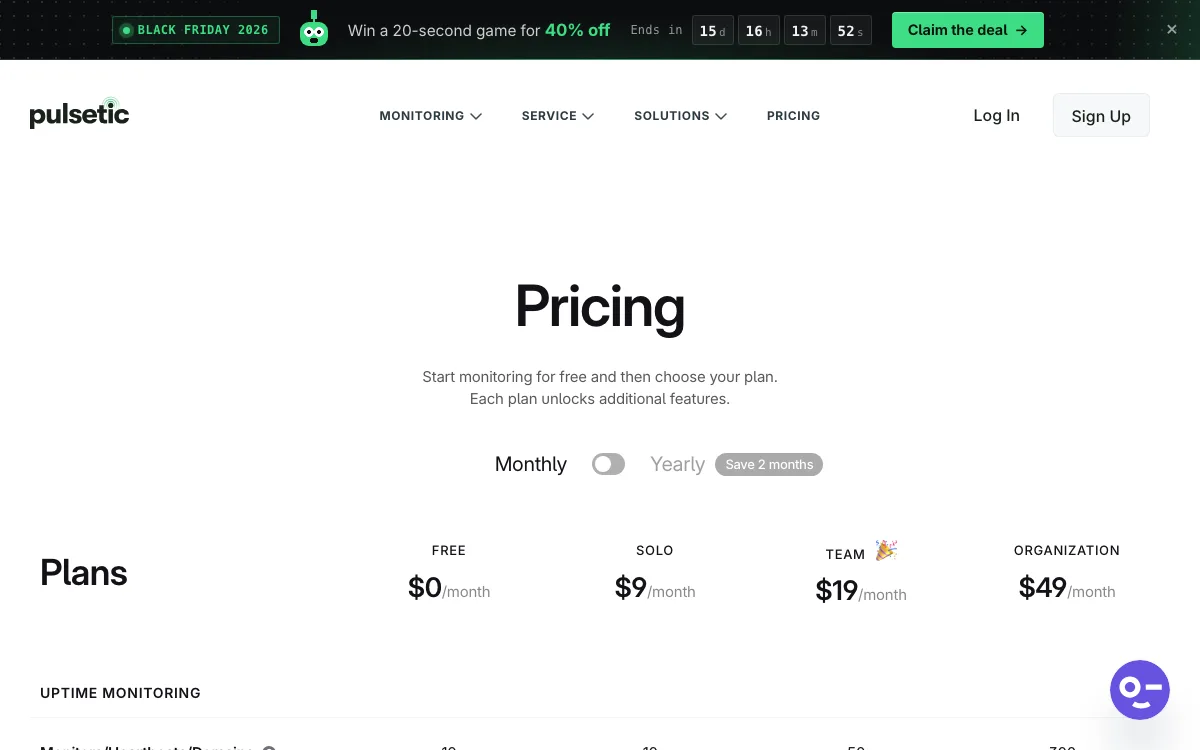
Pricing: Free. Solo is $9 a month, or $90 a year: 60-second checks, unlimited status pages, 30 SMS or call alerts and 15 WhatsApp alerts included, plus Slack, Teams, Discord and Telegram. Team is $19 a month: 50 monitors, 30-second checks, white-label status pages and 2 teammates. Organization is $49 a month. Extra monitors cost $0.20 each on any paid plan.
Limitations: the free plan alerts by email and one webhook per monitor only, so there is no Slack until you pay. Five-minute checks are slower than HetrixTools’ one minute. There is no native mobile app and no on-call scheduling. Subscriber notifications and incident updates on status pages need a paid plan.
Good for: agencies and small businesses that need customer-facing status pages, and anyone who wants a $9 upgrade with phone call alerts. Agencies can see how this fits client work in our guide to website monitoring for agencies.
2. HetrixTools: best free like-for-like replacement
HetrixTools has the strongest free plan here for a typical Freshping setup. Every plan, including free, checks every minute.
The free plan gives you 15 uptime monitors, 15 server monitors and 4 of 12 monitoring locations. Public status pages are included, and you can put them on up to 3 white-label domains. Alerts on every plan include email, Slack, Discord, Microsoft Teams, Telegram, PagerDuty, Opsgenie and webhooks. Phone and SMS alerts work too, at $0.10 per credit on the free plan. HetrixTools also checks SSL validity, domain expiry and nameserver changes.
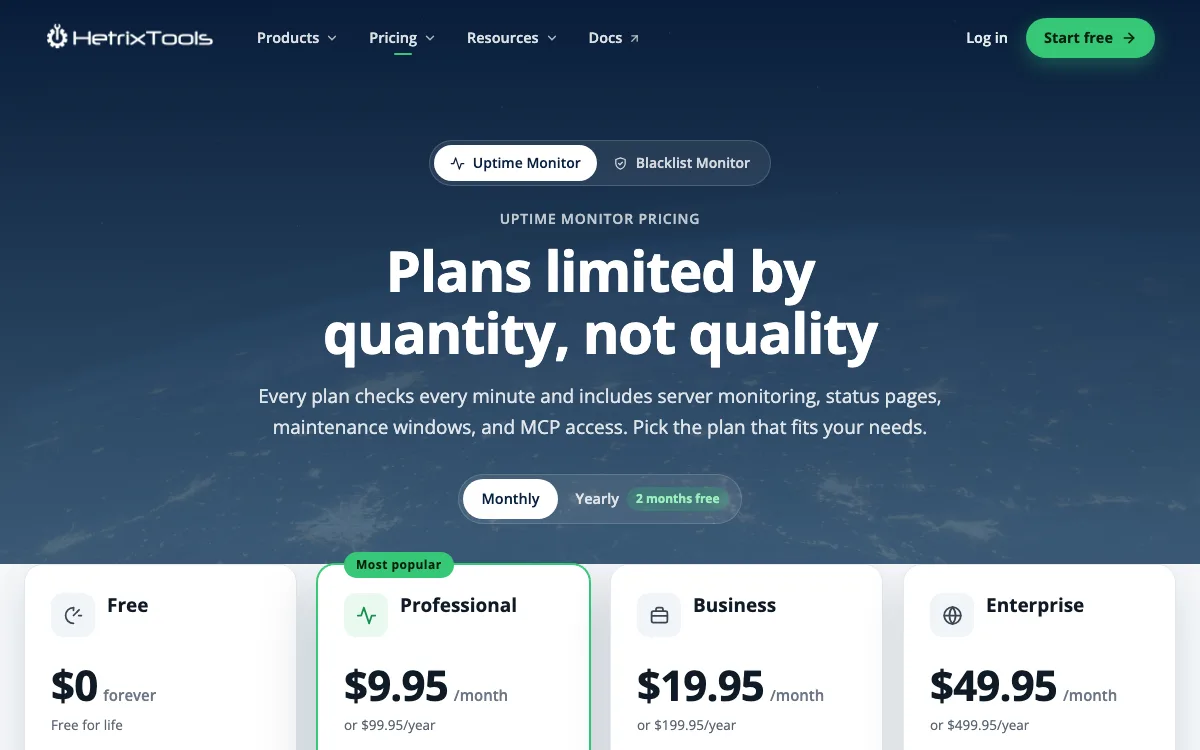
Pricing: Free. Professional is $9.95 a month or $99.95 a year for 30 monitors and 25 SMS a month. Business is $19.95 a month for 60 monitors and full white label. Enterprise is $49.95 a month for 200 monitors.
Limitations: you must log in at least once every 90 days or lose the free plan. The free plan sends email alerts to one recipient only. Branding is only partly removed below the Business plan. Fastest checks are once a minute, while Pulsetic and Better Stack go to 30 seconds on paid plans. Its terms allow one free account per person or organization.
Good for: former Freshping free users who want minute-by-minute checks, chat alerts and a status page without paying.
3. UptimeRobot: best for the most free monitors
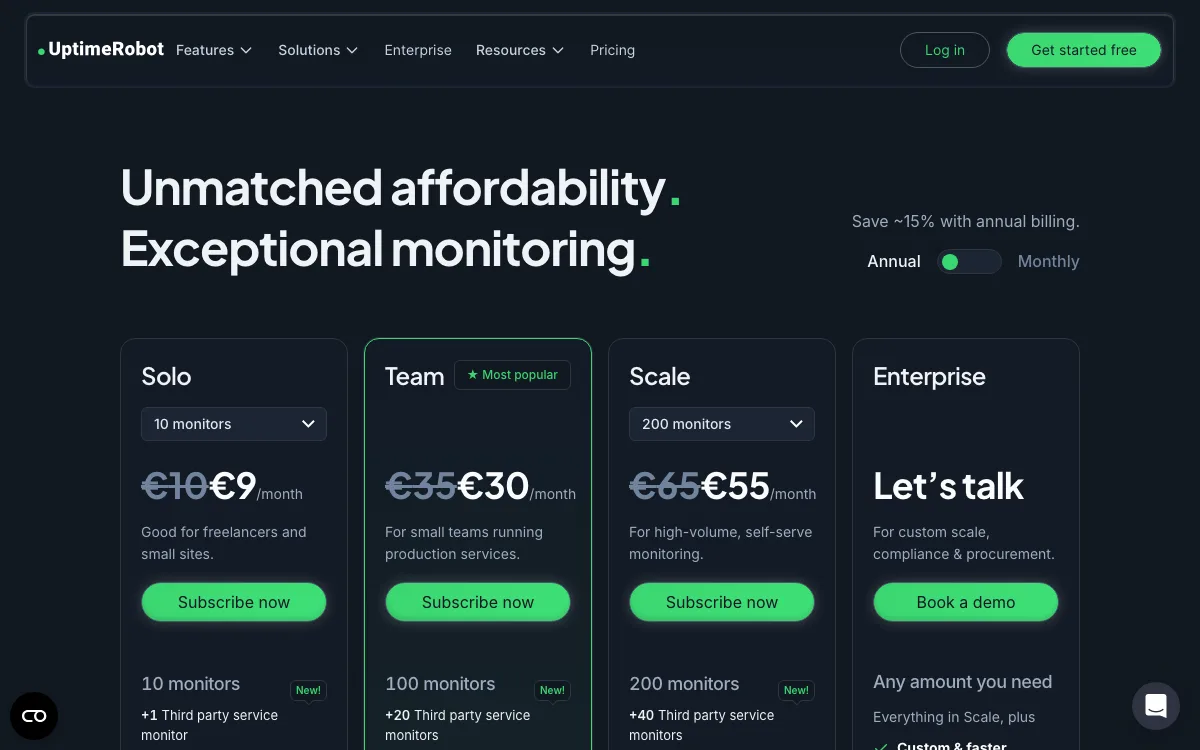
UptimeRobot is the best-known free uptime monitor. Its free plan gives you 50 monitors checked every 5 minutes, and the pricing page says it is for “personal and commercial projects.”
The free plan covers HTTP, port, ping and keyword checks. Its status page is more limited than Freshping’s was: 1 page, with no custom design and no own domain. Free alerts go to email plus 5 integrations: Google Chat, Discord, Pushover, Pushbullet and Splunk. Slack starts on Solo. SMS and voice credits can be bought separately, even on free. iOS and Android apps are included on every plan.
Pricing (EUR, as shown): Solo is €10 a month, or €9 a month billed yearly, for 10 monitors, 60-second checks and 3 status pages on your own domain. Team adds 100 monitors, 30-second checks, white-label status pages and 3 login seats. There is a 14-day money-back guarantee.
Limitations: UptimeRobot’s own plan summary lists SSL, domain expiry, DNS and heartbeat monitoring as Solo features, not free ones. You can’t put the free status page on your domain. We compare it with its rivals in detail in our UptimeRobot alternatives guide.
Good for: people with many sites to watch who don’t need a branded status page.
4. Better Stack: best for on-call and incident management
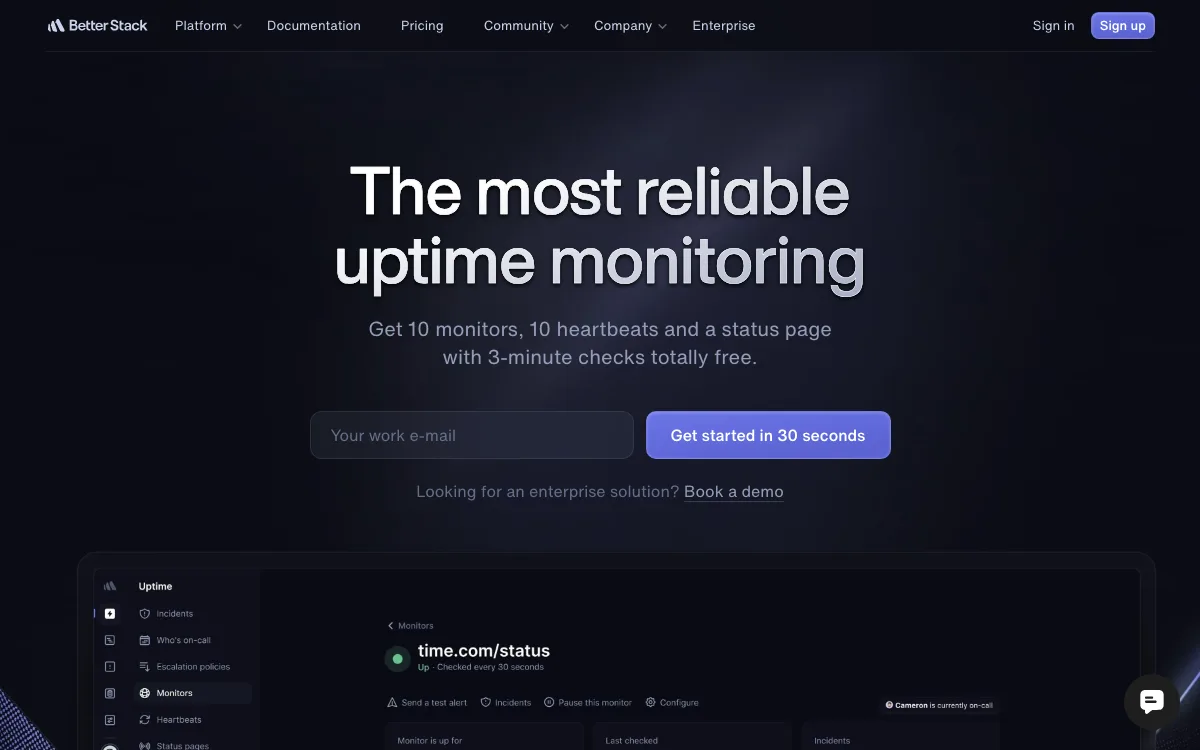
Better Stack combines uptime monitoring with on-call schedules, incident management, logs and error tracking.
The free plan, labeled “free for personal projects,” includes 10 monitors and 10 heartbeats checked every 3 minutes. You get 1 status page, which you can host on your own subdomain with a CNAME record. Alerts go to email and Slack.
Pricing: a Responder license is $34 a month, or $29 billed yearly. It includes on-call scheduling and unlimited phone and SMS alerts. Ten monitors are included; each extra 50 monitors costs $25 a month. An extra status page is $15 a month, and removing the “Powered by Better Stack” footer is $250 per page per month. There is a 60-day money-back guarantee.
Limitations: the free plan is not meant for business use. Add-on pricing makes the monthly bill hard to predict. White-label status pages cost far more than at Pulsetic or HetrixTools.
Good for: engineering teams that need on-call rotations and escalation alongside monitoring.
5. Hyperping: best for SaaS startups
Hyperping bundles monitoring, status pages, on-call and browser checks for software companies.
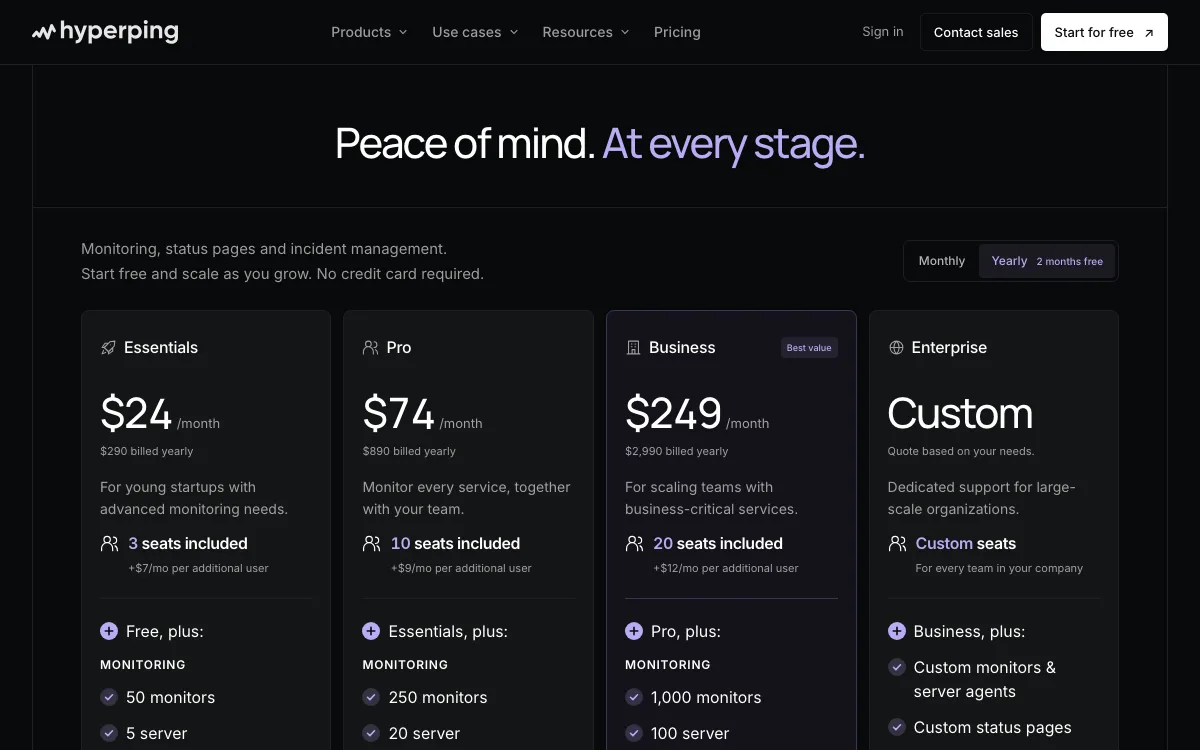
The free plan is “for personal projects and trying out Hyperping.” It includes 20 monitors at 5-minute checks, 1 server agent, 1 basic status page and 1 seat. Alerts go to email, Slack and Teams. A custom domain for the status page is not included on free.
Pricing: Essentials is $29 a month, or $24 a month billed yearly ($290). It includes 50 monitors, 30-second checks, 1 status page with a custom domain, phone call alerts, on-call and 3 seats. Pro is $89 a month ($74 yearly) and Business $299 a month ($249 yearly).
Limitations: the paid entry price is about three times Pulsetic’s or HetrixTools’. Essentials includes only 1 status page.
Good for: funded SaaS teams that want monitoring, on-call and a polished status page from one vendor.
6. Uptime Kuma: best for self-hosting
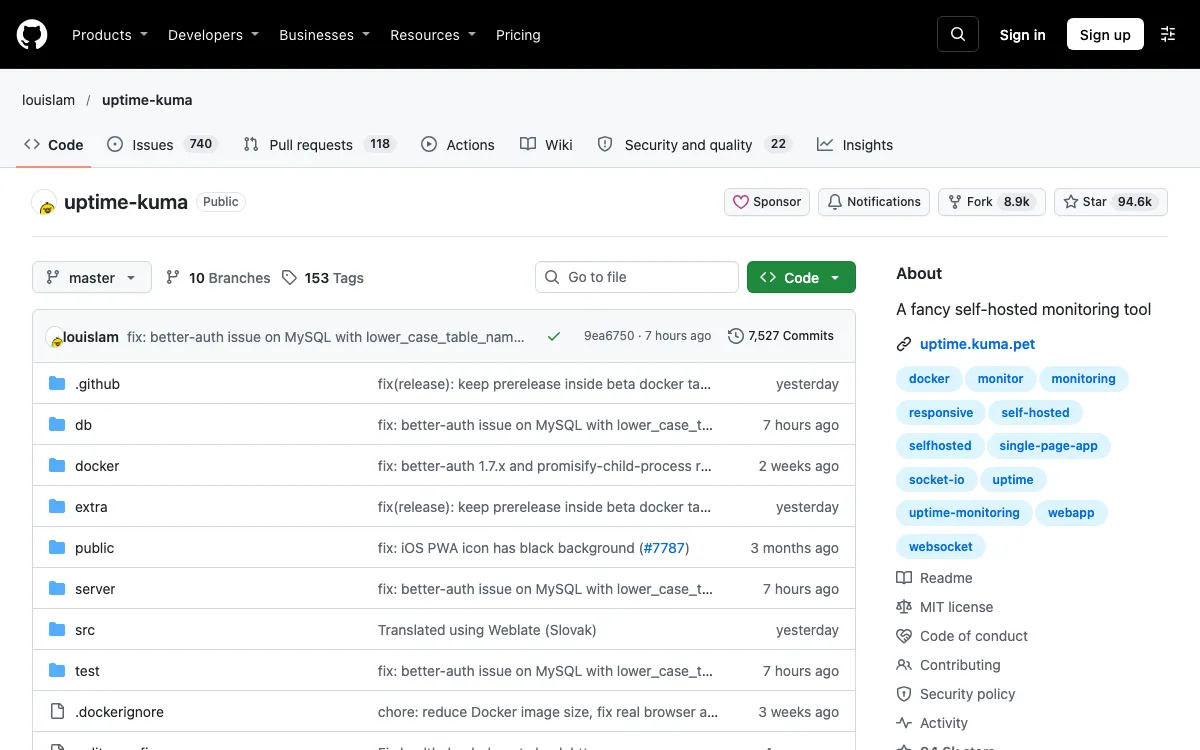
Uptime Kuma is a free, open-source monitor under the MIT license. You run it yourself, usually with one Docker command.
It monitors HTTP(S), TCP, keywords, JSON queries, WebSocket, ping, DNS records, push and Docker containers. Checks can run every 20 seconds. It supports multiple status pages, which you can map to your own domains, and sends notifications to Telegram, Discord, Slack, email and 90+ other services.
Pricing: free. You pay for the server it runs on.
Limitations: it checks from wherever you host it, so there is no multi-location confirmation by default. If that server goes down, your monitoring and status page go down with it. Updates and backups are your job.
Good for: developers who are comfortable running a small server and want no limits on monitors.
7. StatusCake: best for paid page speed and server checks
StatusCake covers uptime, page speed, SSL, domain and server monitoring under one login.
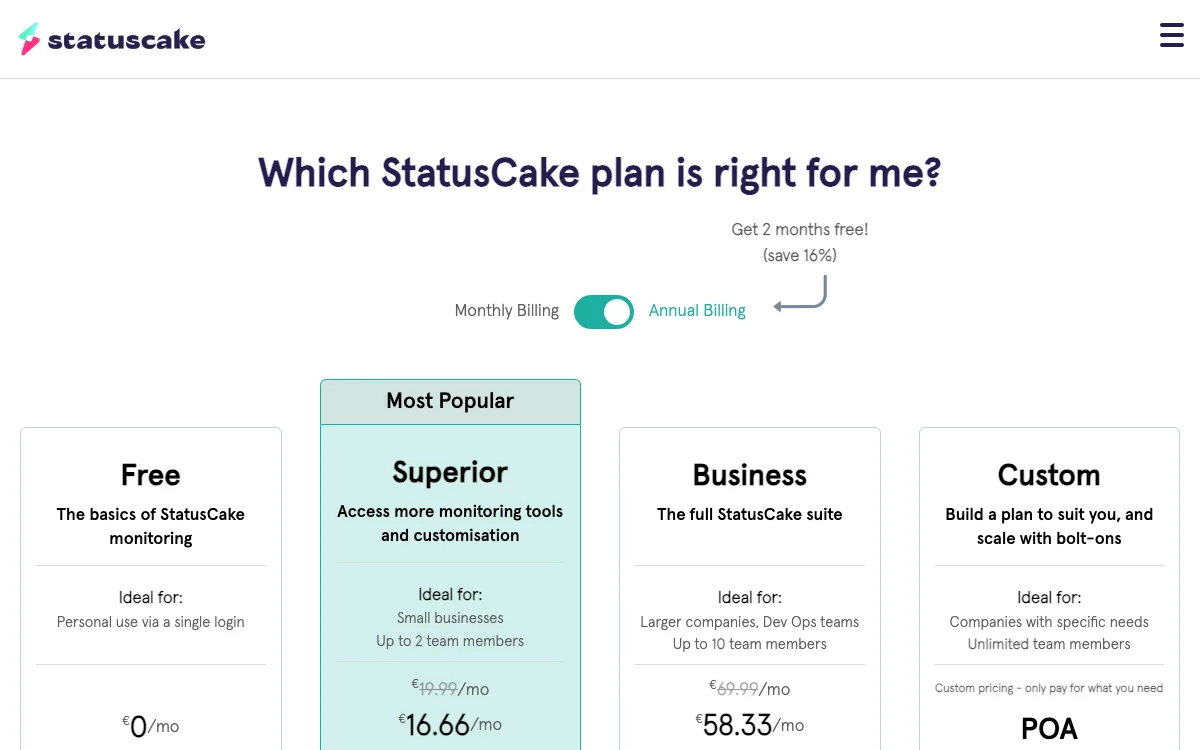
Its free plan is small: 3 HTTP(S) monitors checked every 15 minutes, email alerts to one address and a single login “for personal use.” The free plan card also lists SMS and integration alerts. The pricing page does not list status pages in its plan table.
Pricing (EUR, as shown): Superior is €19.99 a month, or €16.66 a month billed yearly, for 100 monitors at 1-minute checks, 2 team members and 75 SMS credits. Business is €69.99 a month for 300 monitors at 30-second checks. Paid plans have a 7-day free trial.
Limitations: the free plan is too limited to replace Freshping’s. Prices are shown in euros, and status pages are not part of the plan comparison.
Good for: teams that will pay and want page speed and server monitoring in the same tool.
Free plans compared
| Tool | Monitors | Interval | Status pages | Own domain | Commercial use | Free alert channels |
|---|---|---|---|---|---|---|
| Pulsetic | 10 | 5 min | 3 | Yes | Yes | Email, 1 webhook |
| HetrixTools | 15 | 1 min | Yes | Yes, 3 domains | No limit stated | Email, Slack, Teams, Discord, Telegram, webhooks and more |
| UptimeRobot | 50 | 5 min | 1 | No | Yes | Email, Google Chat, Discord, Pushover, Pushbullet, Splunk |
| Better Stack | 10 | 3 min | 1 | Subdomain | Personal projects | Email, Slack |
| Hyperping | 20 | 5 min | 1 basic | No | Personal projects | Email, Slack, Teams |
| Uptime Kuma | No limit | 20 s | Multiple | Yes | Yes (MIT) | 90+ services |
| StatusCake | 3 | 15 min | Not listed | Not listed | Personal use | Email to 1 address; SMS and integrations listed |
How to migrate from Freshping
None of these tools imports Freshping data directly, so plan on rebuilding by hand.
- Export what you still can. If you were on a paid plan, you can export until 90 days after your subscription ended. An account owner or admin starts it from Account Settings. The download link arrives within 48 hours and stays active for 60 days. It contains XML files for checks, status pages and integrations, plus CSV files for incidents, uptime and users. Freshworks also points to its public API. Free-plan users: the June 4, 2026 deadline has passed, so rebuild from your own records.
- List every check. Write down each URL or IP, the check type (HTTP, ping, TCP, DNS), the timeout and any keyword you matched.
- Recreate the checks. Add them in the new tool. Pick at least two check locations where the plan allows it, so one bad network path doesn’t page you.
- Rebuild alert channels. Re-add email recipients, then reconnect Slack, webhooks or SMS. Freshdesk users can send email alerts to the support address so each outage opens a ticket.
- Move the status page domain. If status.yourdomain.com pointed at Freshping, update that CNAME to the new provider. If you won’t replace the page, delete the record so it doesn’t point at a dead service.
- Test. Pause a check or point one at a URL that returns an error, and confirm the alert arrives where you expect.
If you report uptime to clients, our uptime calculator converts a percentage into allowed downtime per month.
Which Freshping alternative should you choose?
- You need status pages on your own domain, free: Pulsetic (3 pages) or HetrixTools (3 white-label domains).
- You want the most like Freshping’s free plan, at no cost: HetrixTools, for 1-minute checks and chat alerts.
- You run client sites as an agency: Pulsetic Solo at $9 a month gives you unlimited status pages, one per client.
- You have dozens of sites and no status page needs: UptimeRobot, with 50 free monitors.
- You need on-call rotations: Better Stack or Hyperping.
- You want full control and no vendor: Uptime Kuma on your own server.
For a wider list beyond Freshping replacements, see our roundup of the best uptime monitoring tools.
FAQ
Is Freshping shutting down?
Yes, and it has largely shut down already. Freshworks disabled free accounts on March 6, 2026 and stopped renewing paid plans after that date. Paid accounts stay active only until their current term ends.
Can I still export my Freshping data?
Only if you had a paid plan. Paid accounts can export until 90 days after the subscription end date. The free-plan export deadline was June 4, 2026, and has passed.
Did Freshworks recommend a Freshping replacement?
No. The deprecation FAQ does not name a successor product. It only advises users to move to another monitoring tool and offers its export feature and public API to help.
What is the best free Freshping alternative?
HetrixTools is the closest free match, with 15 monitors checked every minute and status pages on your own domain. Pulsetic is the better pick if branded status pages matter most, since its free plan includes 3 on your domain and allows commercial use. UptimeRobot gives the most free monitors, with 50.
Which alternative has status pages on a custom domain for free?
Pulsetic includes 3 status pages on your own domain for free. HetrixTools allows up to 3 white-label domains for its status pages. Better Stack lets you host its single free page on your own subdomain, and Uptime Kuma maps pages to any domain you control.